

Maintenance View: Configuration
A number of user-defined columns can be added to the Maintenance View in the Event Editor. These columns may be used to enter comments about the equipment units being maintained or repaired.

Before working with the Maintenance view, the user-defined columns must be configured in Reference Edit.
The procedure is:
- Open Reference Edit.
- Select Other Actions | Deploy Reference Data on the navigator header. The dialog opens.
- Select Configuration Items | Miscellaneous | CommentFields.
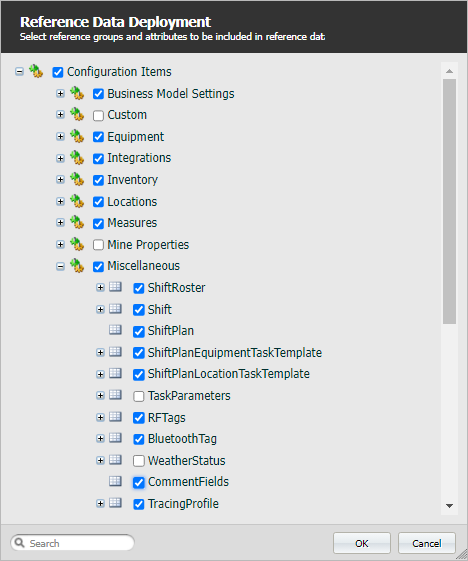
- Click OK. The dialog will close with a confirmation message and save the changes.
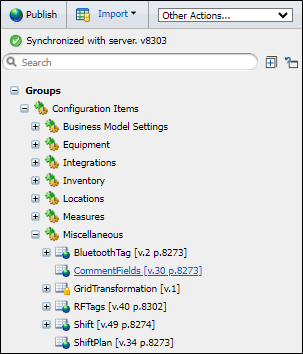
- Go to Configuration Items | Miscellaneous | CommentFields on the navigator.
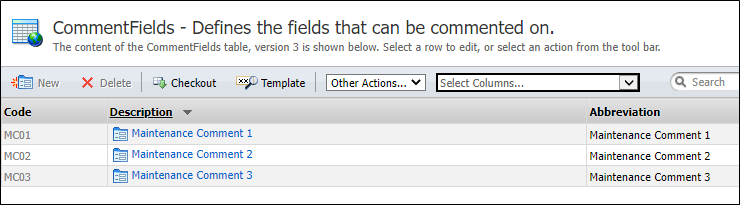
- On the workspace header, click Checkout to make the CommentField reference group read-write.
- Click New CommentFields on the workspace header.
-
Define the Code, Description and Abbreviation of the new token. For example:
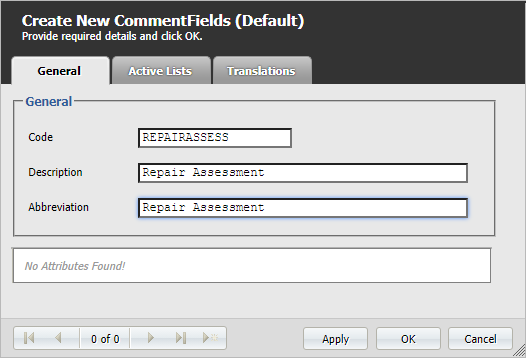
- Click OK to close the dialog and save the token. Alternatively, click Apply and continue to define other tokens.
- Click Checkin on the workspace header to make the reference group read-only.

- Click Publish on the navigator header to publish your changes.
