

Edit a shotcrete event
- Click the Shotcrete View button. A data grid showing all Shotcrete events in the database is displayed.
The Shotcrete view shows a limited number of events, related to the shotcrete processes. The view is limited by equipment with one of 3 equipment functions (Mixing, Spaying, Batch Plant). Activities are displayed in Compact Mode, i.e. showing just one event placeholder instead of all the activity events.
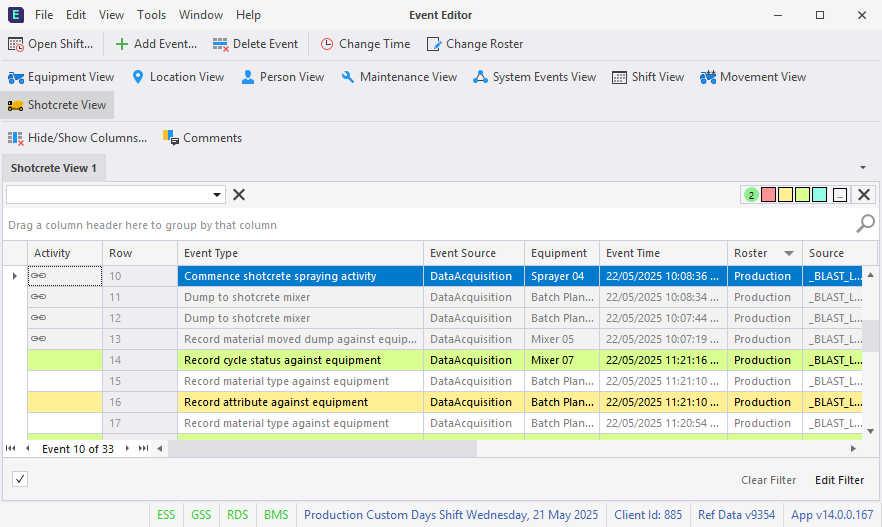
The link icon in the grid shows that the event is a placeholder, and hovering on the icon displays information on the activity.
- Select the event you want to edit in the System Events View.
-
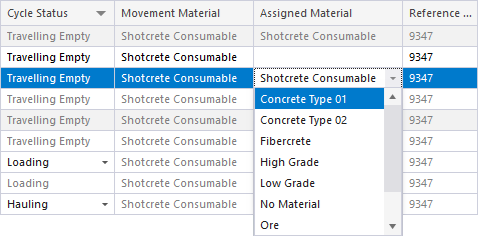
Fields in the grid that can be modified will be active and can be edited manually - such as changing the Assigned Material for some events:
Shotcrete events can be added to the grid using the Add Event button. See Add a shotcrete event.