Options
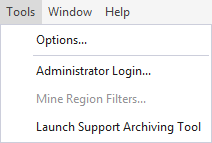
The options provided via the Tools | Options menu determine how the
Services
Set the Server Address and the Port number for the General Services Service used by the
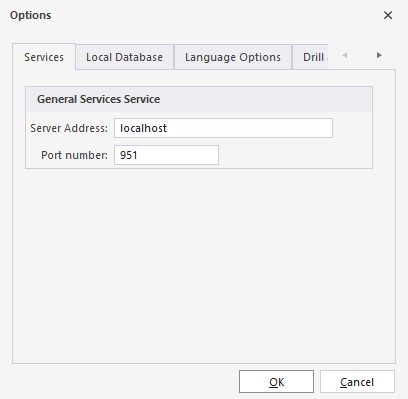
Client applications only require the address of the General Services Service (GSS), which acts as a directory for all other services. Once a client connects to GSS, it automatically receives the connection details for every other service (RDS, ESS, BMS, EHS).
Local Database
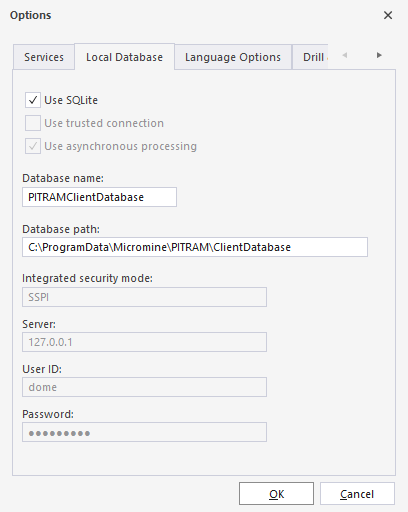
Tick the check boxes for Use asynchronous processing and Use trusted connection.
Specify the name and location of the database accessed by
Specify the name and path of the database containing the data to be edited by the
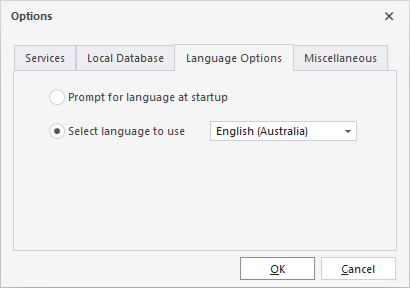
Language Options
Specify the language that will be applied to the user interface, or allow the user to select the language on startup.
Miscellaneous
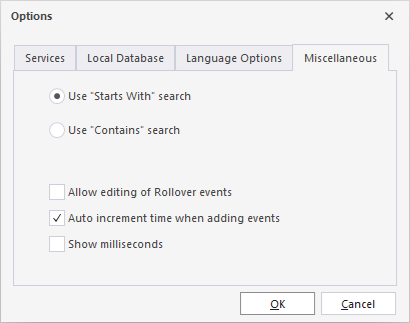
Specify the preferred search method for searching data within controls such as drop downs; finding either Starts With or Contains matches.
Allow editing of Rollover events
Select this option to enable editing of Rollover events. This option is disabled by default to maintain the integrity of activities that are linked to event sets. Without this option enabled, changes cannot be made to Rollover events and an error message will be displayed.
Auto increment time when adding events
Select this option to enable the automatic increment of event time by 1 second when adding new events in the Add Event dialog. This setting simplifies the process of adding multiple events one-by-one, making it more efficient for users.
Show Milliseconds
Select this option to display milliseconds in the main grids of the Event Editor. This option only affects how milliseconds are displayed in date-time cells.
Note: Data exports always include milliseconds.