

Apply a Filter
The values displayed for each column can be filtered based upon specified conditions.
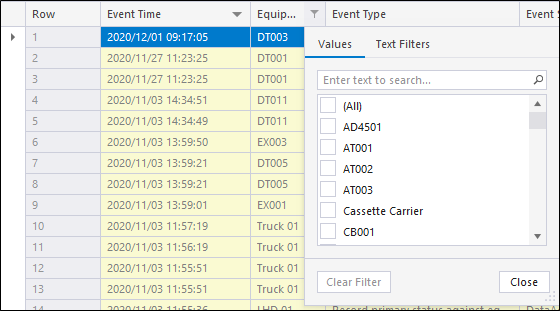
- Click on the Filter icon
 on any row header (see red box below).
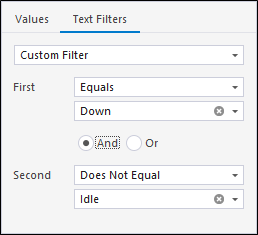
- Alternatively, you can define a custom filter by selecting Custom from the list of options.
Options are provided which let you filter by any value in the column.
The Custom Auto Filter dialog is displayed:
You can also right-click on any column header, to invoke the following menu:
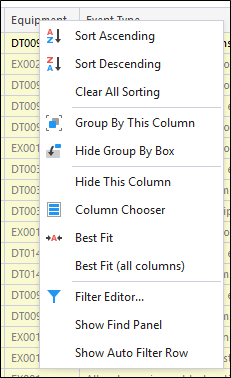
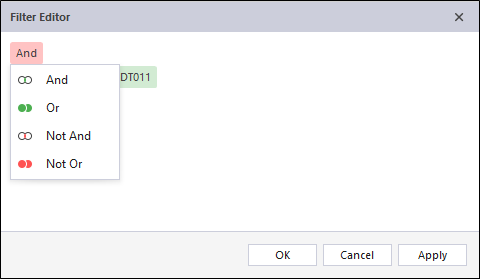
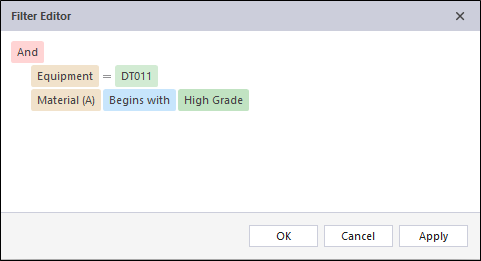
The Filter Editor option on this menu provides you with a more powerful filtering tool.
The following wildcards may be used when specifying values:
| Wildcard | Description | Example | Returns |
|---|---|---|---|
| _ | represents any single character | AAA_ | AAA3, AAA4 |
| % | represents any series of characters | AAA% | AAA301, AAA-B2 |
Note: Not all column filters support the Like comparison operator.