

Advanced colour filter
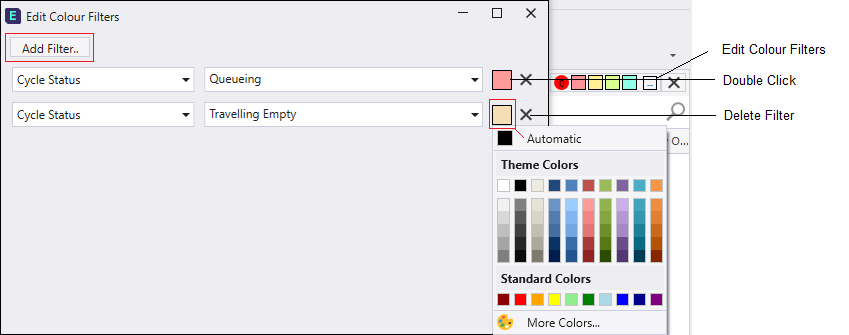
Click the Advanced colour filter button button  on the Colour filter toolbar to open the Edit Colour Filters dialog. Here you can change the colours of one or more existing filters, or click the Add Filter button to create a new one.
Add Filter
Click the Add Filter button  to add a new colour filter entry.
Delete
The Delete buttons  at the right of each filter can be used to delete a filter.