Clear a location status
A location can be assigned a status in the Event Editor and in Data Acquisition. If the status was assigned in error it can be cleared.
To clear a Location status:
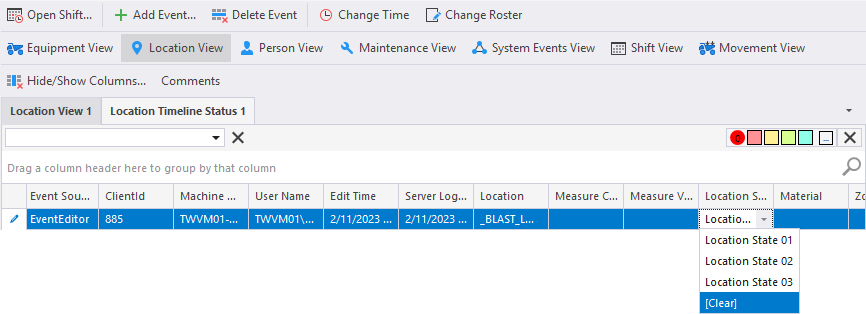
- Click on the Location View button.

- In the column of the view that displays the location status you want to clear, click the drop-down option V on the right hand side of the column text. The list of possible states will be headed by [Clear].
- Select [Clear].