

Administration Overview
The options provided on the Administration menu allow any user who has been granted administrator privileges to configure the Pitram Portal and the Services it provides.

When you click the System icon on the Pitram Portal Service bar, the following options are provided:
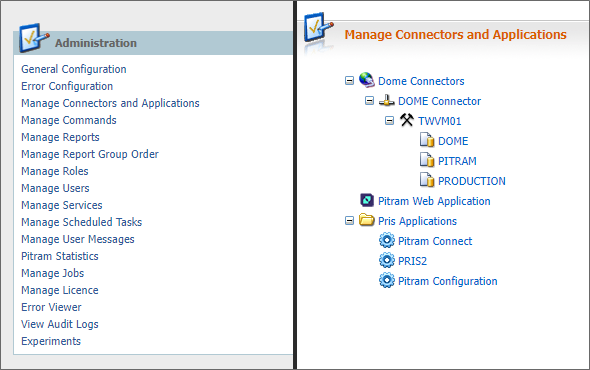
For detailed information, click on the following topic links:
- General Configuration
- Error Configuration
- Manage Connectors & Applications
- Manage Commands
- Manage Reports
- Manage Report Group Order
- Managing Roles
- Managing Users
- Manage Services
- Manage Scheduled Tasks
- Managing User Messages
- Pitram Statistics
- Manage Jobs
- Manage Licence
- Error Viewer
- View Audit Logs
The System service is not available unless you have administrator privileges.
If the Pitram Portal window is inactive for a lengthy duration (an administrator can set an auto log out interval via System | General Configuration) you will be automatically logged out. To resume working you will need to sign in again. Closing the Pitram Portal window will also log you out. It is recommended that you use the Sign Out option on the Services toolbar to exit and close the Portal.