

Manage Subreports
A report can be made up of many subreports. The final generated report is a compilation of data from the subreports. This option is used to define the associated subreports for the current report or to edit the currently defined subreports.
The left pane displays all the possible reports, while the right pane displays the reports that will be included as subreports of the current report.
To determine the available subreports for the report
- Click Subreports. The Subreports window is displayed
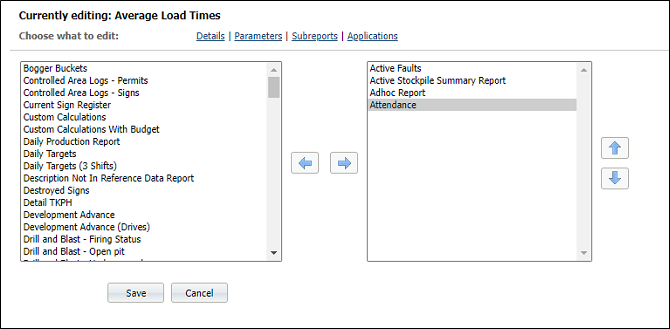
- Use the horizontal directional arrows
 to move reports from the available reports window on the left to the active subreports window on the right.
- Use the vertical directional arrows
 to move individual subreports up and down in the list of available subreports in each window.
- When you have finished adding and moving items in the lists, click Save.