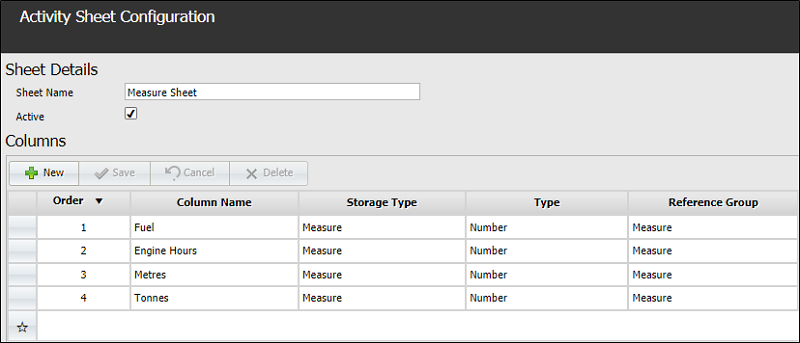
Measure Activity Sheet
A Measure activity sheet field contains data that can be assigned to a particular piece of equipment, to a location or to a person.
For example, you could enter the loader fuel records or the metres drilled from the drillers submission sheets. The measure unit must be defined (in the Reference Edit service) before it can be used.
Fields
- Position - Determines the row order in which the newly created data field will be displayed.
-
Active - The new field becomes available to operators to modify.
- Required - If this option is selected, there must be an entry for the column in every record.
- Description - The name used to define the field.
- Active List - select from the available active lists. This allows you to choose from a subset of permitted options.
- Measure - Defines the type of measure to be entered. If "No Measure" is specified, the data is not filtered and all data will be displayed in the lookup list.
- Minimum - For a numerical field, set the lowest permissible value.
- Maximum - For a numerical field, set the highest permissible value.
- Decimal Places - For a numerical field, defines the precision in decimal places.
- Save - Save the configuration details for the new field.
- Cancel - Close the dialog without saving.
Click Save to save the record or Cancel to exit without saving.
A sample Activity Sheet Configuration containing the above data types could look as follows: