

Equipment activity sheet
The Equipment Activity Sheet is located in the panel at the right for a selected shift. Equipment is configured on the system using the Reference Edit module.
The Equipment Activity Sheet window has specialised functions.
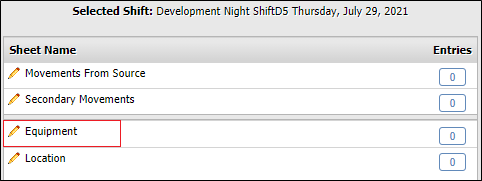
Equipment
To view the Equipment Activity Sheet, with a shift selected, click the link in the Selected Shift panel.
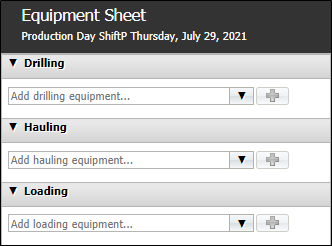
Drilling
The Drilling section of the Equipment activity sheet is used to configure the equipment used for drilling during the selected shift.
Hauling
The Hauling section of the Equipment activity sheet is used to configure the equipment used for hauling on the activity sheet.
Loading
The Loading section of the Equipment activity sheet is used to configure the equipment used for loading on the activity sheet.
Equipment Status
The status of equipment refers to the state of the equipment; whether in use, idle or down for repair for example, at a specified time for a specified duration.
The Equipment Status configuration for each equipment item provides a method of recording the status of the equipment by time and duration.
SMU Measure Readings
SMU, or “Standard Meter Unit” Measures are measures that represent the last known cumulative reading, rather than an instantaneous quantity. SMUs are almost always associated with physical metres, such as odometers or hour meters on equipment units, or total flow meters on pumps.
The SMU Measure Readings panel allows you to enter the SMU readings for the selected equipment.
For information on adding equipment to the Equipment activity sheet, see Add Equipment Activity.
For information on configuring the status for an item of equipment, see Equipment Status.
To add SMU readings to equipment on the activity sheet, follow the method outlined in SMU Measure Readings.