

Capture a timesheet
Assume the date is the 28 July, 2021. Operator 01, the loader operator, has submitted yesterday's Day shift timesheet for Loader_10. The timesheet information needs to be entered . Enter all status or activity changes, as well as all measures recorded on the timesheet.
Procedure
- Click on the icon for Activity Sheet.

- Select the Site from the drop-down list of sites, or choose to view records from all sites.

- Define a period that includes the shift in which the work was undertaken.
Option Select End Date 17 June, 2012
Show 1 week
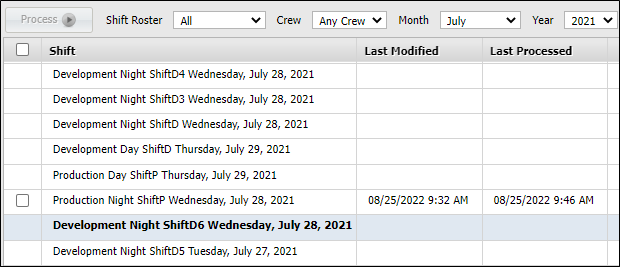
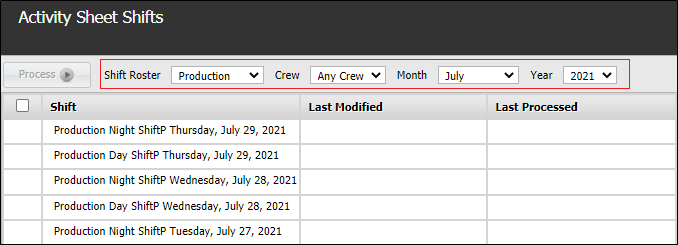
- Select the Day and Night shifts.
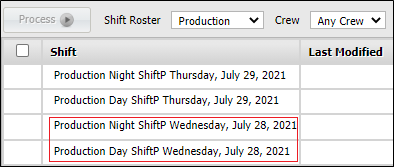
- Double-click on the row Day-Shift, Production, Wednesday July 28, 2021. A set of defined timesheets becomes available.
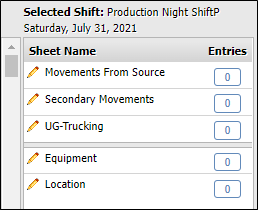
- Enter the loader operators (Person_1) timesheet by double-clicking on the UG-Trucking sheet type.
The Loaders sheet displays a new set of tools on the toolbar.
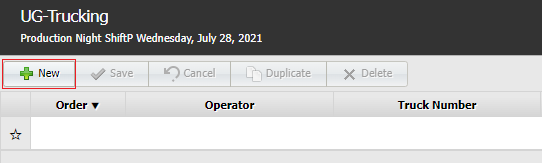
The sheet toolbar has the following options:
| Tool | Description |
|---|---|
| Close | Close the sheet that you are currently working with. You will return to the display of all the sheet types. |
| New Entry | Add a new record. Each record will be saved as an event in the database. |
| Delete | Delete the active record in the sheet. |
| Edit | The sheet dialog opens, displaying the current column values. You may edit any columns in the dialog. |
| Duplicate | Add a new record, which is a copy of the current record. The new record cannot be saved until at least one of the columns has a different value from the parent record. |
- Click New Entry. The UG-Trucking sheet dialog is placed into Edit mode.
The input data fields are presented horizontally, while the toolbar shows the active buttons - New, Save, Cancel and Delete.

The fields Operator, Equipmentand Location have drop-down lists that you can select from.
- On the UG-Trucking dialog, select the following values:
Field Enter Operator Operator 01 Truck Number Truck 01 Location Source Location 01 Number of Loads 5 Hours 3.25
- Click Save. The new record is displayed.
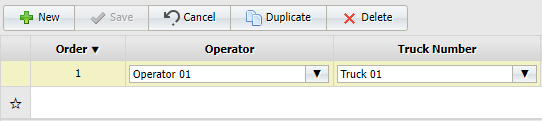
The options to Delete and Duplicate become available for the active record.
You have finished entering the timesheet record.
- Click Close at the bottom right to return to shift selection screen.