

Edit an Activity Sheet
Edit
Select an Activity Sheet.
The editable properties for each data field in the selected Activity Sheet can be defined or modified here. The dialog below shows a typical configuration.
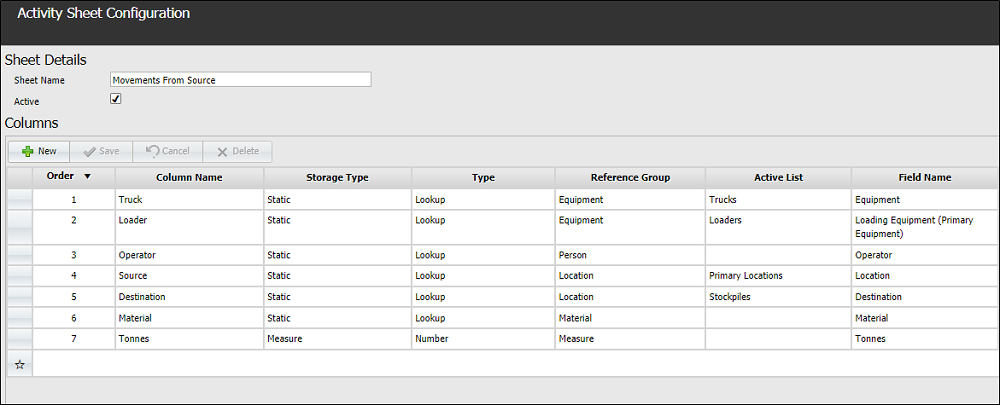
Only certain details can be modified in an activity sheet. If you need to make changes to details which are not editable, such as Storage Type, you will need to delete the column and re-enter it with the new details. Be aware, however, that this will change the order of the column in the activity sheet.
For information on the fields in the activity sheet, see Create an Activity Sheet.
When the necessary changes have been made, click the Save button in the toolbar at the bottom right to save the modified activity sheet.