

Calibrate Location Measures
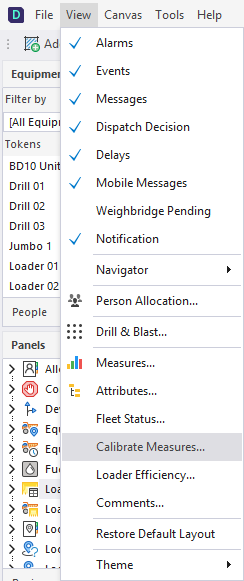
To calibrate measures for a location, select the View | Calibrate Measures menu option.
On the Locations tab of the Calibrate Measures dialog:
- Select a Location.
- Select the Measure to be calibrated.
- Select the Date/Time of the calibration.
- The Old Reading is read-only and is a cumulative total (the last reading recorded for the location).
- Enter the New Reading.
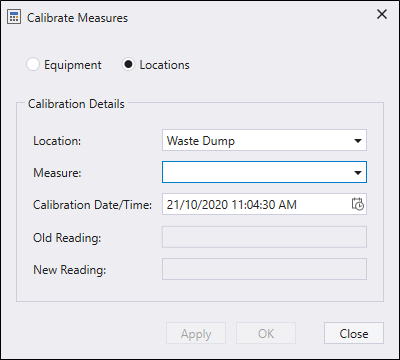
- Click Apply if you a calibrating more than one measure type.
- Finally, click OK to finish calibrating measures.