

Calibrate SMU Readings
To calibrate SMU readings for a unit of equipment, select the View | Calibrate Measures menu option.
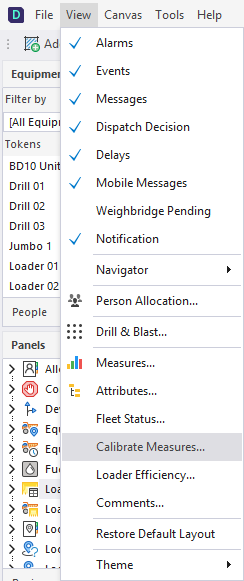
On the Equipment tab of the Calibrate Measures dialog:
- Select a unit of Equipment.
- Select the Measure to be calibrated.
- Select the Date/Time of the calibration.
- The Old Reading is read-only and is a cumulative total.
- Enter the New Reading.
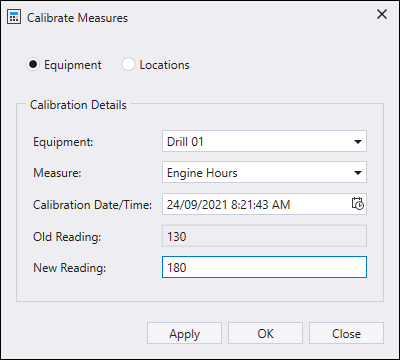
- Click Apply if you are calibrating more than one measure type.
- Finally, click OK to finish calibrating readings.
If you enter an SMU value which is less than the last value entered for that equipment, an error message is displayed. The value must be greater than or equal to the current value.