

Enter multiple attribute values during a shift
Select the View | Attributes menu option to enter or modify the attributes of Equipment, Locations and People. A separate tabbed page is provided for each attribute category.
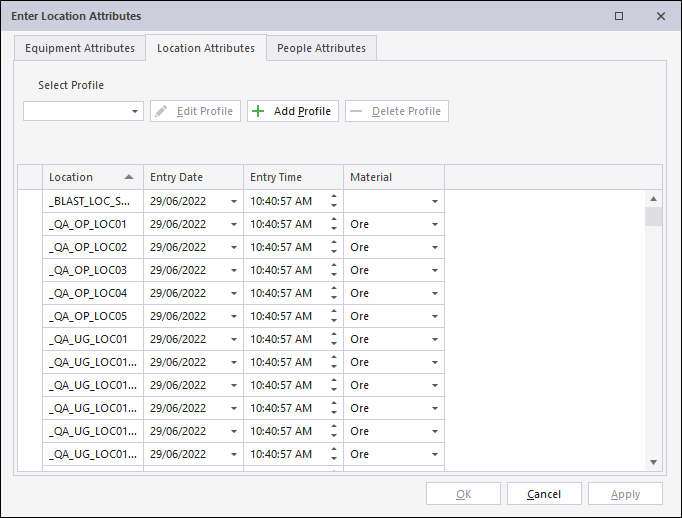
Attributes define the characteristics that make up each of the people, equipment and location tokens. They define the physical features, the associations and lots more about each token. The people, equipment and location tokens are defined in Reference Edit.
You can configure which attributes to display by creating and editing one or more profiles.
For example,
You may want to modify attributes for CAT trucks. In that case, create a CAT Truck profile, select the CAT trucks you want to enter attributes for, and select the attributes that apply to CAT trucks.
If you do not select a profile, all attributes for all equipment, all locations, and all people will be displayed.
Creating and editing a profile
- Select the Equipment, Location, or People tab.
- Click the Add profile button.
- Specify a name for the profile, i.e. Profile1.
- Select the (Equipment/Locations/People) members you want to include in Profile1.
- Select the attributes that can be entered for the members of Profile1.
- Click Finish to complete the profile definition.
Profile1 will be available for selection in the Select Profile drop-down list.