

Entering multiple attributes for people
- Select the View | Attributes menu option and click on the People Attributes tab.
- Select a people profile from the drop-down list or create a new profile.
- Enter or edit attribute values in the data grid.
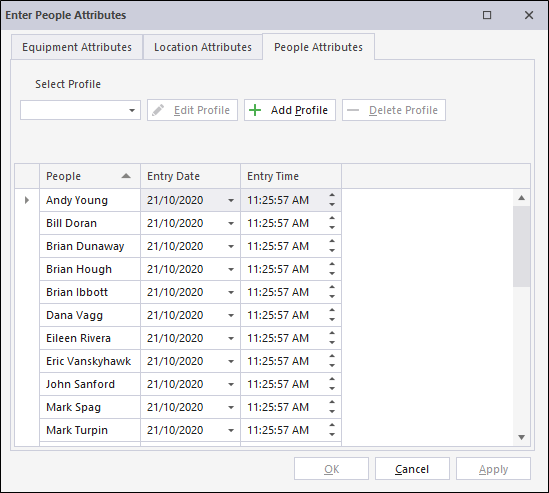
Where possible, values are available for selection in a drop-down list. Validation will be applied to any entries or edits that you make:
- Click Apply to submit the attributes you have entered or edited.
Any entries or edits you make to Equipment and Location attributes will also be applied.
Entry Date and Entry Time values will be updated automatically.
- Finally, click OK to finish entering or editing attributes for people.