

Recording a measure against an active location
Summed and Cumulative measures can be recorded for locations.
Summed Measures
Summed measures may be recorded against locations, particularly for Shot Firing.
To enter a summed measure against a location:
- Right-click on the name of a location in the Locations pane and select Enter Measures from the right-click menu.
- Select the Summed Measures tab.
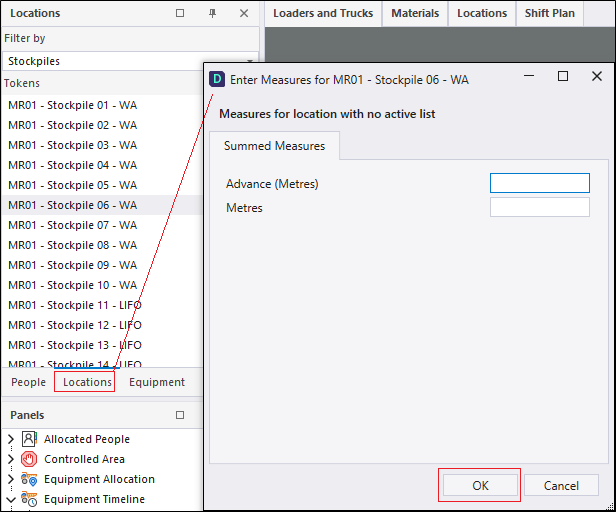
- Enter one or more measures and click OK.
You do not need to enter all of the measures displayed. If a location is not displayed, you will need to use the Reference Edit application to activate it in the Location pane.
Cumulative Measures
Cumulative measures, for example Chainage, may be recorded against locations.
To enter a cumulative measure against a location:
- Right-click on the name of a location in the Locations pane and select Enter Measures from the right-click menu.
- Select the Cumulative Measures tab.
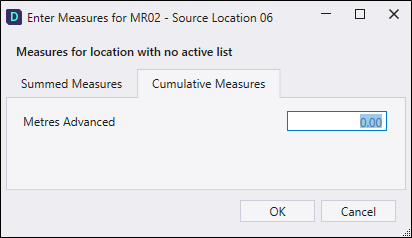
- Enter one or more measures and click OK.