

Add Location Activity
To view the Location Activity Sheet, with a shift selected, click the link in the Selected Shift panel.
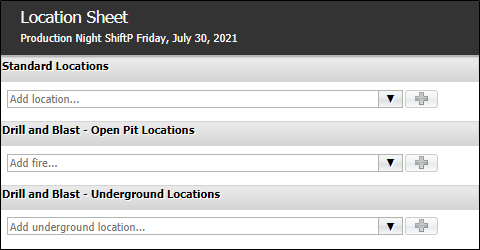
The Location Activity Sheet is used to record the measurable activity that occurs across location categories.
To add location activity to the sheet, select the location from the relevant drop down.
Click the plus icon to add the selected location.

You can repeat this procedure for all of the locations for which you want to record activity.
In the case of location with sublocations (such as pit rings) configured, the location you add will display a tree of all the sublocations contained within:
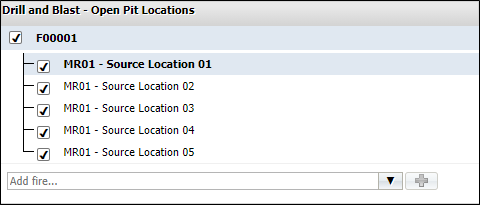
By default, all sublocations are selected for inclusion on the sheet. You can deselect any sublocations you do not want to add to the activity sheet using the check box.
The sublocation tree will collapse when another location is added. You can expand it again by clicking the location in the list.
For each location added to the activity sheet, you can configure the activity details in the Edit Location panel.