

Edit Location
To view the Location Activity Sheet, with a shift selected, click the link in the Selected Shift panel.
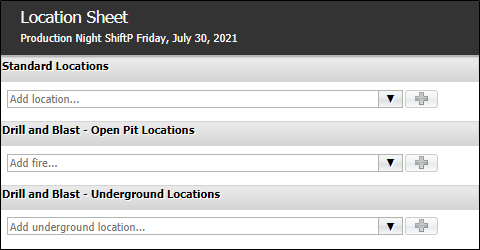
The Location Activity Sheet is used to record the measurable activity that occurs across location categories.
Information on adding locations to the activity sheet is contained in Add Location Activity.
For each location added to the activity sheet, you can configure the activity details in the Edit Location panel.
With the relevant location selected in the panel at the left, click in the Time cell to enter the time (in 24hr format) at which the activity occurred.
Enter the length of time, in hours and minutes, for which the activity occurred in the Duration cell.
Use the Status drop down to select the applicable status of the activity. Location statuses are configured on a per-system basis and will differ from site to site.
Select the applicable Classification from the drop down. Location classifications are configured on your system and will differ between sites.
You can sane the location activity details using the Save button, or it will be saved when you add a new line.
If required, click the New button to add a new line to the Edit Location details.
The Cancel button will undo any changes made to the details on the active line.
If you select a line in the Edit Locations panel and click Delete, it will be removed from the configuration for the selected location.
The Location Activity Sheet is automatically saved on closing.