

Put a sign into storage
To put a sign into storage:
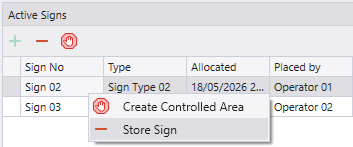
- Right-click on the sign in the Signs pane and select Store Sign.
- Make the following selections in the Store Sign dialog:
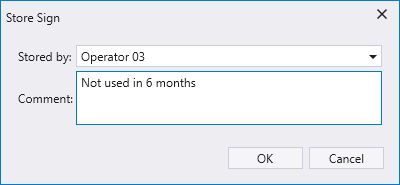
Stored by
When a sign is stored, someone returns it back to the storage area. Select the person who stored the sign
Comment
Optionally, specify why the sign is being put back into storage.
- Click OK to put the sign into storage.
When you put a sign into storage it is removed from the Signs pane.