

Signs Auto Alarm
When people are logged at a sign controlled area, they are given access to that area for a duration of time. An alarm notification will be displayed (and an audible beep will be emitted) when people logged at a controlled area exceed their allowed time duration.
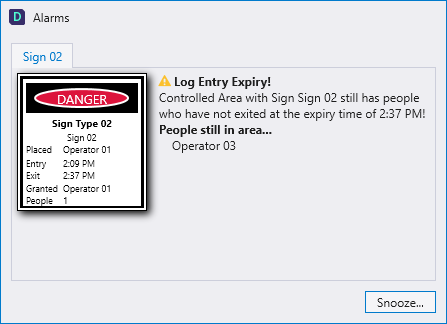
Snooze
If necessary, a Snooze period can be activated to allow people working within that area to remain there for a longer period. When you snooze an alarm, the log time duration for the people logged at that area is extended using the snooze time you specify.
To snooze the alarm:
- Click the Snooze button.
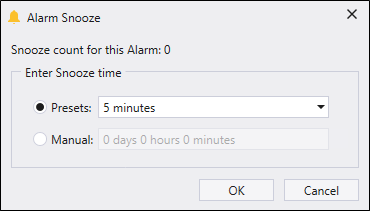
- In the Alarm Snooze dialog, select a preset snooze time or manually enter a snooze time.
- Click OK to activate the snooze period you have specified.
Snooze Count
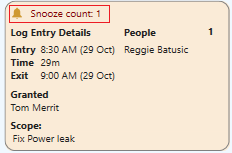
A Snooze Count in the Log Details pane keeps track of how many times an alarm has been snoozed for the people logged at the controlled area.
Breach
How alarms are handled is configurable and will depend on the requirements on-site.
For example, an alarm may only be snoozed for five minutes, or:
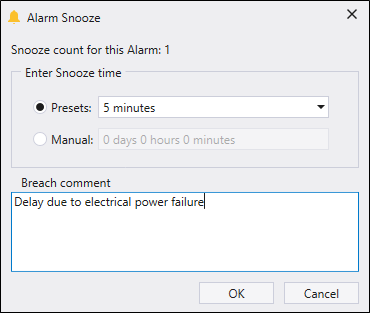
The second time an alarm is snoozed, a Breach comment field is added to the Alarm Snooze dialog. An explanation for the alarm breach must be entered before you can snooze the alarm.
Tip: You can also Extend a log duration for people logged at a controlled area before an alarm is triggered.