Extend a log duration
While the personnel allocated to a controlled area are likely to be in radio contact with the Control Room, they may not necessarily contact the Control Room Operator to let them know that:
- They have exited the area.
- They need an extension to their allocated time.
- One or more of the group will leave the area before the exit time.
There are two ways in which the Exit time of a controlled area may be extended:
Snooze
When the exit time from a controlled are a has expired, an alarm - an audible bleep and an on-screen message - is raised:
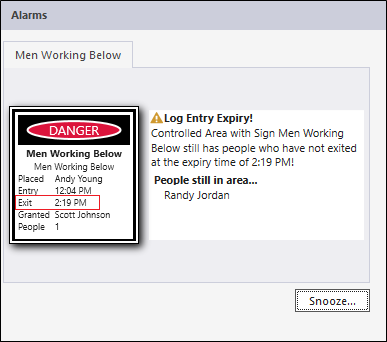
To grant more time to the workers in the controlled area, click Snooze and enter the following parameters in the Snooze dialog:
| Option | Select |
|---|---|
| Snooze count for this Alarm | 0 This is set by the system. Zero means that this is the first time that the exit time has been extended. The snooze count increments each time you implement a snooze for a sign. |
| Presets | 5 minutes |
| Manual | Rather than select one of the preset times. enter a Duration in minutes. |
| Breach comment | Engineer1 reported that an extra 5 minutes was needed to complete the task. |
Click OK to save the setting and close the dialog. The extended time will be the snooze time entered in the Snooze dialog.
Extend Duration
To extend the duration of time that people are logged at a Sign Controlled Area:
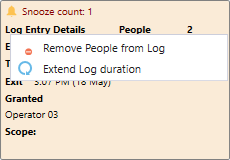
- Right-click on the controlled area and select Extend Log Exit Duration.
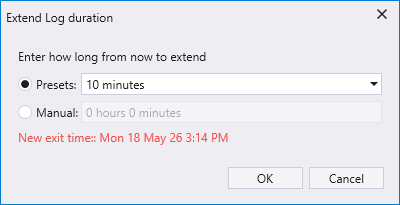
- In the Extend Log Duration dialog, select a preset duration or manually enter a duration. A new exit time is calculated and displayed.
- Click OK to extend the log duration by the amount specified.