Extend a permit duration
When you Create a permit, you specify an expiry time. You can extend the permit duration at any time. When the permit duration time elapses, an alarm notification is displayed in the Controlled Area panel and an alarm icon is shown in the Permits pane:

To extend the duration of a permit:
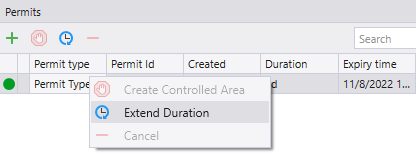
- Right-click on the controlled area and select Extend Duration.
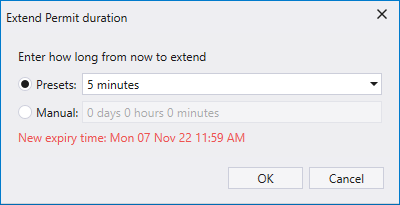
- In the Extend Permit Duration dialog, select a preset duration or manually enter a duration. A new expiry time is calculated and displayed.
- Click OK to extend the permit duration by the amount specified.