

How do I undo the last event?
If you have entered an event by mistake, it is possible to undo the event. Note however, that if the event you want to undo is not the last event, you will need to undo the events recorded after that event.
To undo the last event:
-
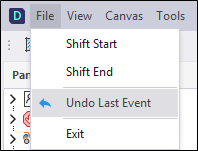
Select the File | Undo Last Event menu option.
-
A confirmation message will appear:
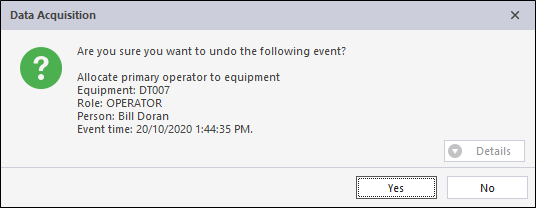
Confirm the deletion of the event. Once the event has been undone it cannot be recovered.
Note: You can only undo one event at a time, but Undo can be selected multiple times.
It is usually a good idea to confirm the details of the last event before undo. The best way to do this is to look at the summary in the View | Events tab.