Viewing Equipment Properties
The equipment that is active during the shift can be displayed by selecting the View | Navigator | Equipment menu option.
When you select a unit of equipment in the Equipment pane, you can then select the View | Navigator | Properties menu option to display the properties of that equipment. See: View Navigator Properties.
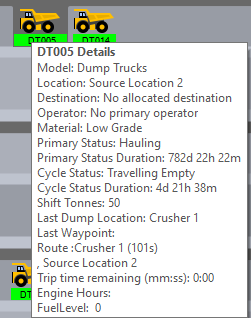
Displaying summary details for secondary equipment
- Hover the mouse over the equipment icon.
A summary for that equipment (so far this shift) is displayed: