Changing an equipment location

A unit of equipment may be allocated to a location. There are two options when changing an equipment location: 

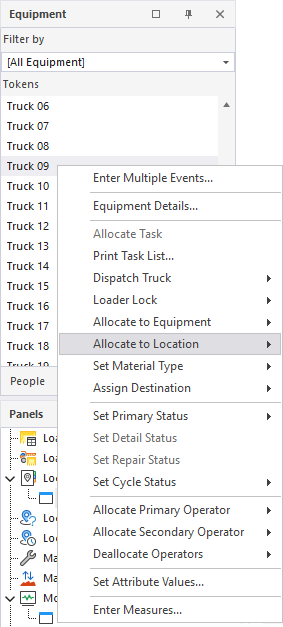
  1. Right-click on the name of the equipment unit in the Equipment pane and select Location from the right-click menu:
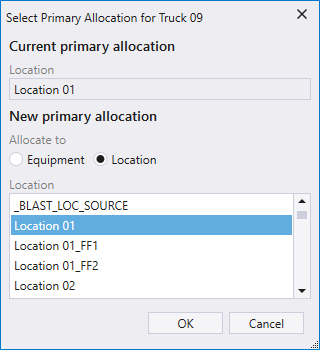
Select a location and (where applicable) a sub location and click OK.

The location name shown in the display pane will be updated.
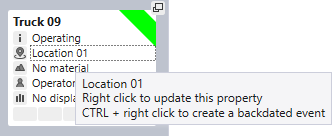
  1. If equipment is displayed in a pane, the location of that equipment unit is shown as the second entry in the display pane:
  2. Simply click on the Location icon to display a Select Location dialog.