Allocating people to locations
For operational and safety reasons, you may want to allocate people to locations. For example, when they are operating fixed machinery rather than vehicles.
- Click on the Person Allocation button on the main toolbar.
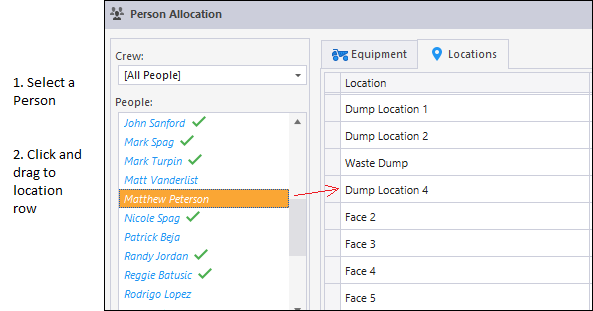
- Make sure the Locations tab is selected in the Person Allocation window.
- Select a Person from the People pane.
- Select a Role from the Roles pane.
- Drag and drop the person's name onto the appropriate Location row.
Click on the plus/minus boxes to see who is allocated to each location:
Note: It is possible to allocate more than one operator to a location.
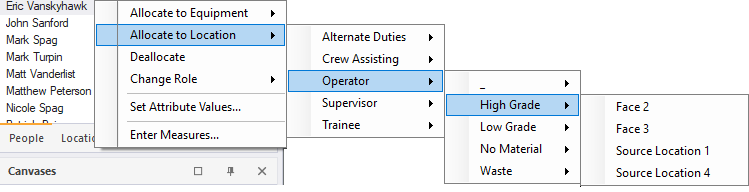
If the person you are allocating is already assigned to another location, he or she will no longer be allocated to that location. You can also allocate a person to a location directly from the People pane using the right-click menu: