

Versioning
The files you upload to Nexus are versioned to provide a history of changes. Nexus projects are also versioned.
When you view the history of the files and folders in your
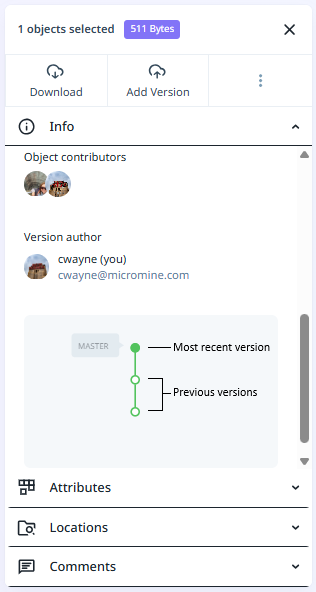
If necessary, you can restore earlier versions of your
Versions can be labelled by Users with permission, or Administrators by clicking the Plus button, entering text into the field provided and clicking the check option:
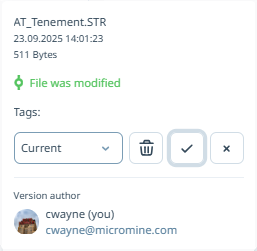
This label (or tag) is saved in the version properties, and users with permission or Administrators can delete it any time. The tag entered for the version is displayed in the Tooltip and the Version tree in the Info panel.
Users with permission or Admin will be able to delete a tag from a file. Only one tag can be added to a file at any one time. To add a new tag, the previous tag must be deleted.