

Filter by time
To filter the events displayed in the current view by time, select one of the View | Filter By Time menu options:
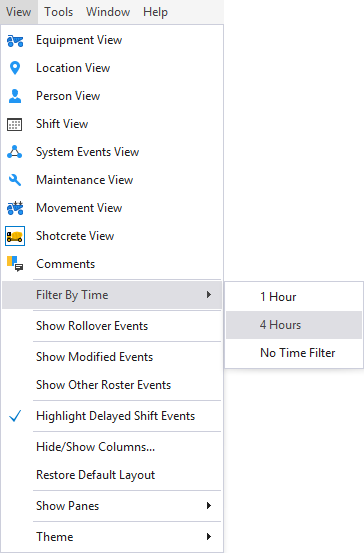
- 1 Hour - only those events which occurred within the last hour are displayed
- 4 Hours - only those events which occurred within the last 4 Hours are displayed
- No Time Filter - turn off the time filter so that all events are displayed.
Time filters are not dynamic. For example, if the 1 Hour filter is applied then the events which have occurred within the last hour are displayed. After 10 minutes, the events which have occurred within the last 1 hour and 10 minutes are displayed. To limit the display to only those events which have occurred within the last hour, you will need to select the View | Filter By Time | 1 Hour option again.