

Settings
Settings
Select File | Settings to change your application settings. Changes made to settings are immediately effective (regardless of pressing the Save button). Pressing the Save button will mean those changes are still present the next time the model loads on this computer only. Settings do not affect how the model behaves on other computers
-
General Settings
-
View Settings
-
Proxy Settings
-
Load Defaults
-
Revert
-
Save
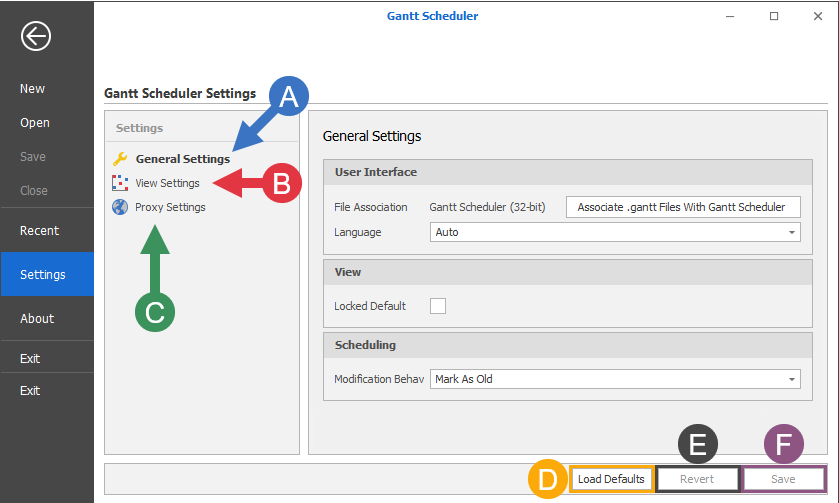
General Settings
User Interface
File Association
Click the Associate with Spry (32-bit) button to set Gantt Scheduler (32 bit) as the default application for .gantt file types.
Language
Accept the default (Auto) or select a language from the drop-down list.
View
Locked Default
Select the check box to lock the duration between the Start and End dates in the Gantt View.
Scheduling
Modification Behaviour
When making changes to a Project, changes that could affect the outcome of the schedule are classed as a modification.
-
Mark As Old (default): The output schedule and reports and marked with a pink background to indicate the schedule is out of date
-
Clear: The output schedule is cleared and reports emptied. This means that results will never be out of date.
-
Rebuild: The schedule is rebuilt every time a change is made (slower). This means that results will never be out of date.
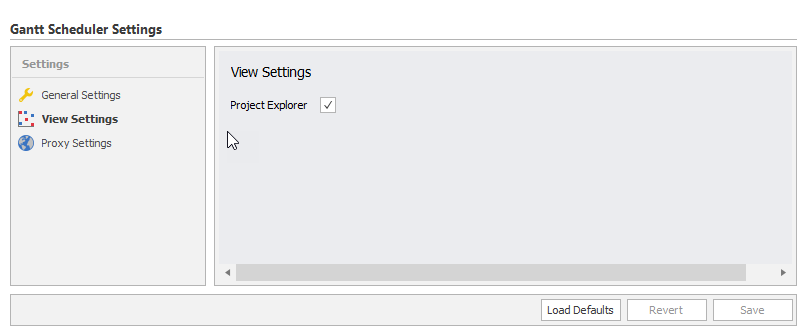
View Settings
Project Explorer (default true): Affects the visibility of the Project Explorer.
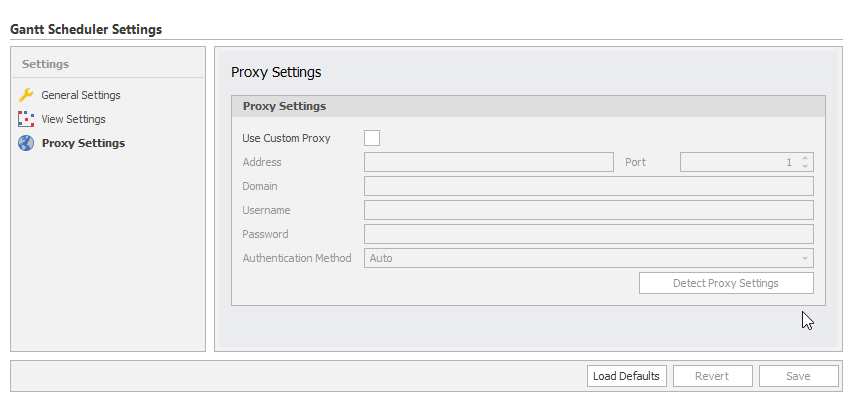
Proxy Settings
Affects how Gantt Scheduler accesses the Internet for sending error reports.
Use Custom Proxy
(Defaults to false): Sets whether or not Gantt Scheduler uses custom settings to access the Internet. It's highly unlikely this setting is required to be turned on. It is recommended that this setting is only changed with direction from Micromine Support.
Load Defaults
Sets all settings back to their default.
Revert
If changes to settings have not been saved yet using the Save button, undoes changes made since the last Save.
Save
Saves changes made to settings permanently, changes will impact future sessions of Gantt Scheduler.
If changes are not saved they remain in effect for this session of Gantt Scheduler, but any newly-opened Gantt Scheduler sessions will revert their changes.