Pivot Tables
A Pivot Table is a data summarisation tool that can automatically sort, provide totals or give the average of the data stored. A simple tip for Pivot Tables is to become familiar with the right-click menu (Remove Fields From Field Area is particularly useful).
Pivot Tables are discussed in more detail in the Results section of the online help.
Add
To create a Pivot Table:
-
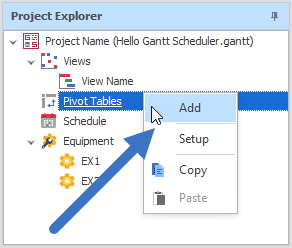
Right-click Pivot Tables in the Project Explorer and click Add:
-
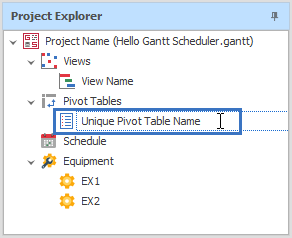
Give your Pivot Table a unique name:
View
To view a Pivot Table:
-
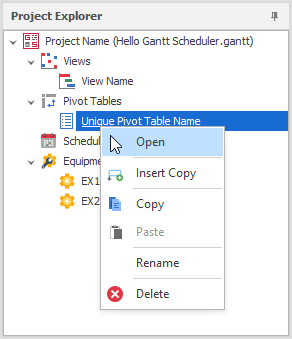
Right-click the Pivot Table and select Open.
Edit
To edit a Pivot Table:
-
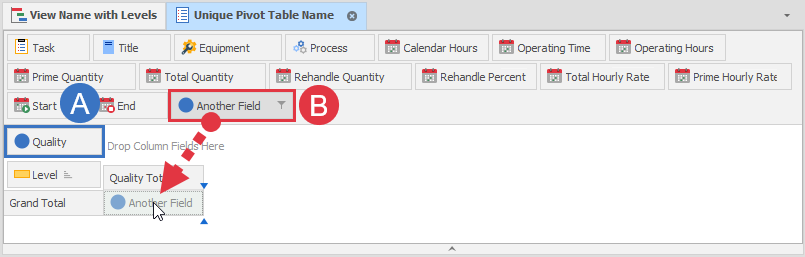
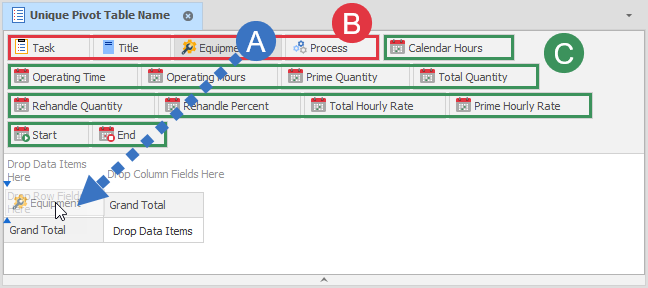
Drag elements into the Pivot Table.
-
Text type elements can be rows or columns.
-
Numeric/date type elements are data items.
Using Areas in Pivot Tables
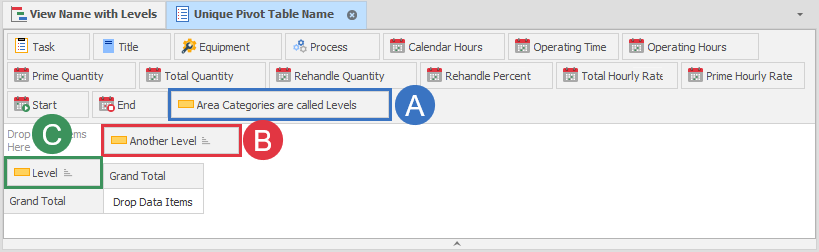
Areas are text type elements when used in a Pivot Table:
-
Areas are in the collection of elements by default
-
Used as a column
-
Used as a row
Using Fields in Pivot Tables
Fields are numeric type elements when used in a Pivot table:
-
Used in the Data Field area
-
Dragged directly into the Data area