Processes
Processes represent different types of Tasks and Delays. Task Processes are called Productive Processes, Delay Processes are called Non-productive Processes. This is based on the concept that while a piece of Equipment is being productive, it is completing Tasks. When it is not completing Tasks, it is unproductive.
Examples of Productive Processes include:
-
Topsoil
-
Freedig
-
Blasted Excavator
-
Drilling
Examples of Nonproductive Processes include:
-
Public Holidays
-
Maintenance
-
Relocation
The Processes tab is used to set up productive and non-productive processes. Productive processes are those which you which generate tasks for (ie. a quantity). Non-productive tasks are used to generate delays based on calendar time. To add a new productive or non-productive process, right-click and Select Add.
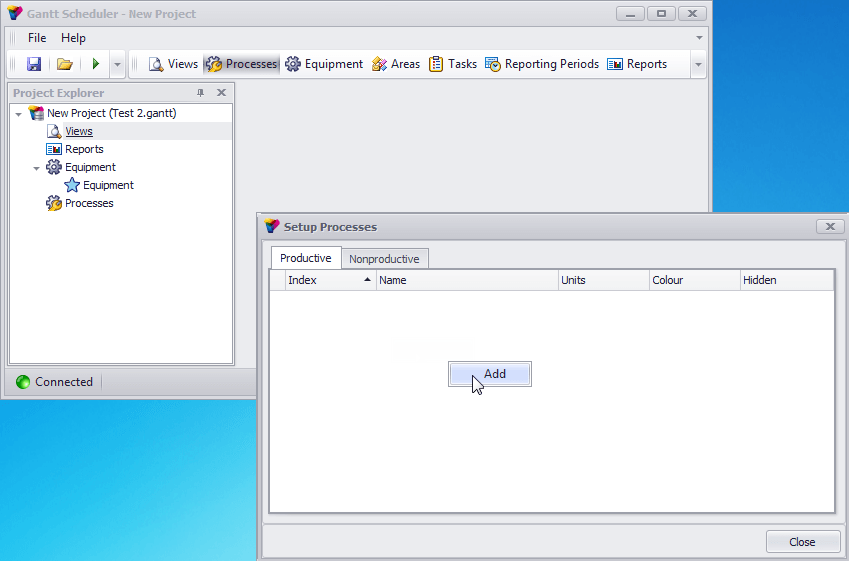
The Index numbers indicate the order that the processes will appear in the Views and Reports.
The Name indicates what productive process is to be scheduled (e.g. topsoil, waste, coal, etc.) or, in the case of non-productive processes, what delay/s are expected (e.g. relocation, maintenance, shutdown, etc.).
The Units indicates what units of quantity the process is to be measured in (e.g. sqm, bcm, t, etc.).
The Colour can be adjusted to change the way it will appear in Views.
If Hidden is selected (ticked), the process will not appear in the Views. Hidden should be selected if the process needs to be hidden from Views.
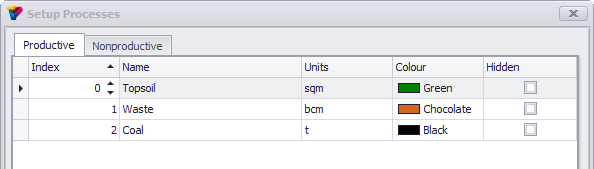
A sample of the completed Productive process is given below:
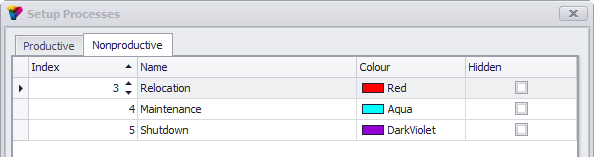
A sample of the completed Nonproductive process is given below:
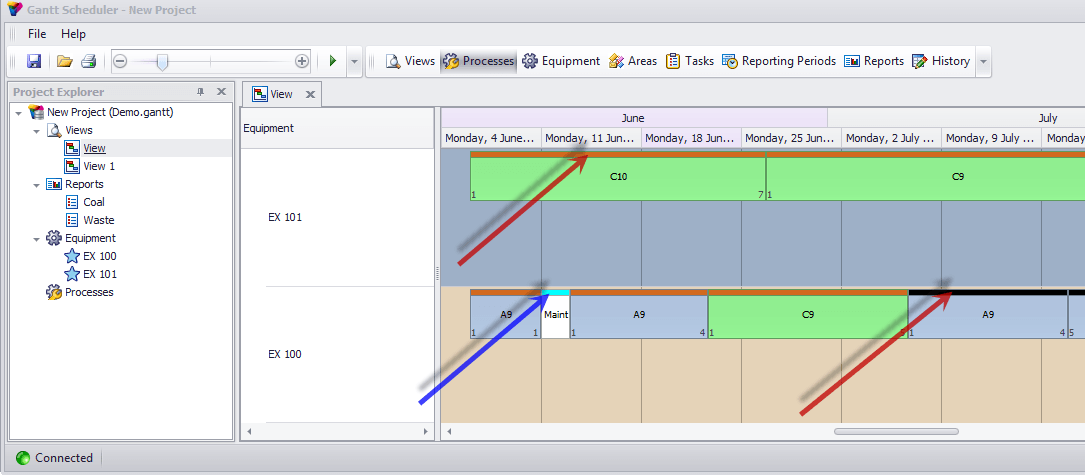
In Views, the above processes would be displayed as below. The red arrows indicate the Productive processes and the blue arrow indicates a Nonproductive process. Note that the colours indicated in the table match those in the tables above (e.g. chocolate for waste, black for coal and aqua for maintenance).