Synchronise Changes
Once a project has been linked to Nexus and objects have been uploaded to or downloaded from the Nexus server, you can use the following options to synchronise any changes made in the local project or on the Nexus server.
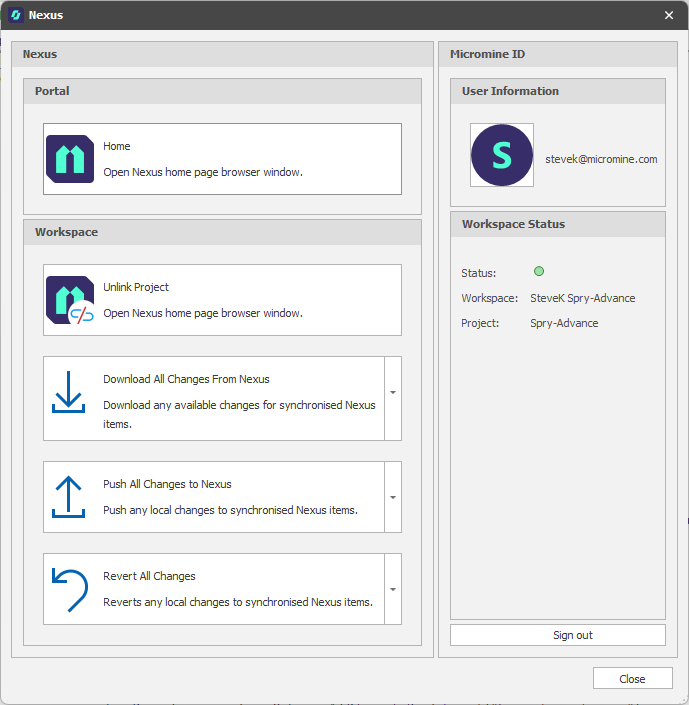
Nexus panel
Download All Changes from Nexus
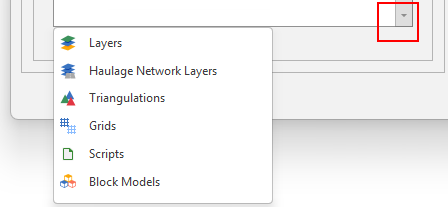
Click the Download All Changes from Nexus button to download all changes on the Nexus server. Alternatively, use the Download All Changes drop-down menu to download changes based on a chosen object type.
Push All Changes to Nexus
Click the Push All Changes to Nexus button to upload all local changes to the Nexus server. Alternatively, use the Push All Changes drop-down menu to push changes based on a chosen object type.
Revert All Changes
Click the Revert All Changes button to revert all local changes. Alternatively, use the Revert All Changes drop-down menu to revert changes based on a chosen object type.