

Link Project
To attach your active Micromine Spry project to a Nexus workspace and project:
-
In the Nexus panel, in the Workspace group, click Link Project:

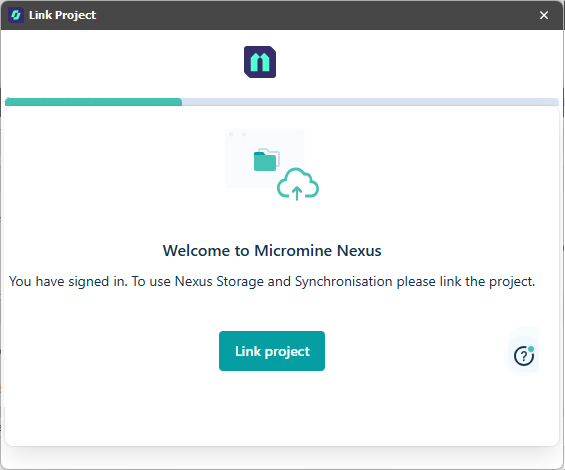
-
You will be prompted to select (or create and select) a Nexus Workspace.
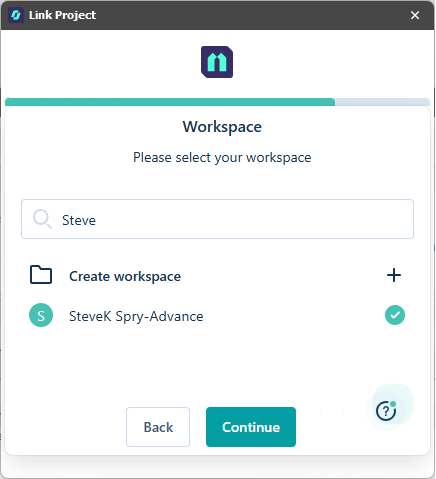
Click to Continue.
-
You will be prompted to select (or create and select) a Nexus Project:
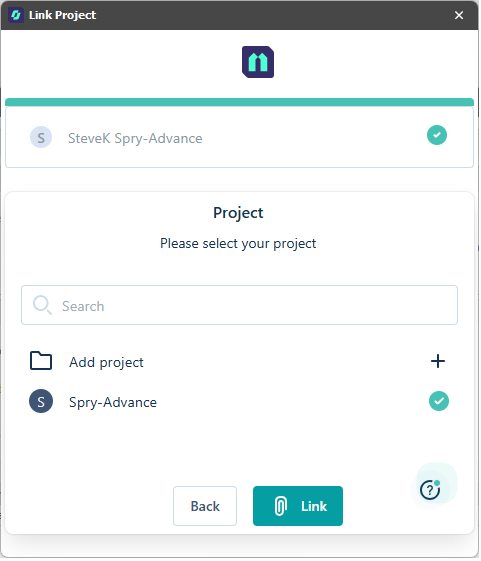
Click to Link the Nexus project to your active Micromine Spry project. The Nexus project you are linked to is shown in the Workspace Status pane:
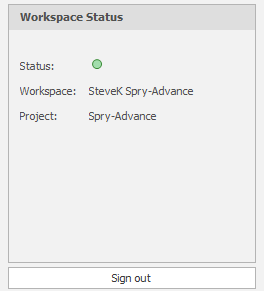
From here you can:
-
Download changes made to your synchronised objects on Nexus
-
Push local changes to your synchronised objects on Nexus
-
Revert local changes
-
Unlink the project
-
Sign out of Nexus