Finding a Report
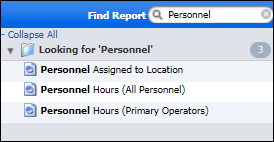
Click on the Find Report function to locate one or more reports based upon a keyword you enter. As part of their properties, all reports will have a title and most reports also have associated keywords.
Keywords usually indicate the nature of the report and the type of data being reported, for example Availability , Utilisation , Target, etc.

If you have administrator privileges, you can use the Admin | Manage User Reports function to edit and enter keywords for a report.
Reports returned as a result of your search (if any) are displayed as a list of hyperlinks in the main application pane. To open a report, click on the relevant hyperlink. See below for typical output.