

Filtering Data
The parameters that can be selected for a report are referred to as filters.
Report data is commonly filtered by objects such as: Period, Equipment, Location, Operator, or Status. Each report uses one or more of these filters, represented by the settings displayed in the Selection Previews panel.
Filters are based on a strict hierarchy of data classification. The content of each (tabbed) level of the Selection list box, with the exception of the first one, are dependent on your previous selections. You can use the Ctrl and Shift keys to select multiple items from each list.
Your available filter options may vary from the ones described below, depending on your site configuration.
Parameter objects
Parameter objects that can be used to filter report data are presented as a list of menu options to the left of the Selection list box:
Period
This allows you to define the reporting period. The Select By list box has the options: Year, Month, Day and Shift.
If one or more production periods have been defined, you also have the option of reporting by Production Period.
Equipment
This defines what equipment will be included in the report. The Equipment Select By list box has four levels of options: All Equipment, Function, Model and Unit.
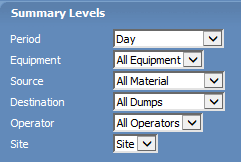
Your selections in the Summary Levels panel at the bottom of the window determine how the selected equipment will be grouped in the report.
Operator
Defines the personnel rostered on during the reporting period. The drop-down list box has the options: All Operators, Crew, Team and Operator.
Status
Defines which States will be included in the report and how they are grouped. The Select By list box has five levels of options: All States, Group, Type, Category and Detail.
Each filter category has up to three components:
Level
A list of hierarchical classifications for the filter category, for example, the Periods filter category: the highest levels generally have no exclusions (e.g. All Periods) while the lowest levels refer to the basic unit for that category (e.g. a Shift).
Selection
Selection determines what data passes through the Filter. The list of available options is dependent on the values selected in the Level component. It also depends on the site configuration for the category. If the Period Level was Year, then the Selection options might be 1999 and 2000. With the Level set to Month, the Selection options might be January through December.
The SHIFT and CTRL keys can be used to make multiple selections. As an alternative to scrolling through a list to find what you are looking for, you can enter a search string to find the closest matching item. As you enter keystrokes, each character you type is displayed on the status bar and the application attempts to match those characters with an item in the active list. The more characters you type to create a string, the more precise the match (if any) will be.
If a match is found, the (closest) matching item in the list is given focus. You can then select it (adding it to the list of currently selected items) by pressing CTRL + SPACE. If you press the ESC key, the text in the status bar will be cleared, but the item with focus will not be lost. This will only occur when you begin a new search or use the arrow keys to move through the list.
Group By
Affects how detailed the reporting will be for the Selection. The options are the same as for the Level component, except that only hierarchical classifications at the selected Level and below are available.
An example for the Equipment filter category:
- Function is chosen as the Level (from All Equipment, Function, Model and Unit).
- Hauling and Loading are the functions selected.
- The Group By options are Function, Model and Unit (the same as the Level options, except that All Equipment is excluded, because it has a higher hierarchical classification than our chosen level Function ).
- Selecting Function , from the Group By list, will report on all Hauling equipment and all Loading equipment (one record or column for each).
- Grouping by Unit would still include the same data (i.e. all Hauling and all Loading equipment) but the report would have one record (or column) for each equipment unit (each truck and loader).
The Group By component is not always required. In the example above, Equipment and Status have a 'Group By' option but Period and Crew do not.