

Reporting
When all the TKMs have been calculated for your reporting period you are ready to access Reporting. A constant review of the TKM and TKPH is part of the monitoring of the production process.
To generate a report:
- Click the Reporting icon
 on the services toolbar.
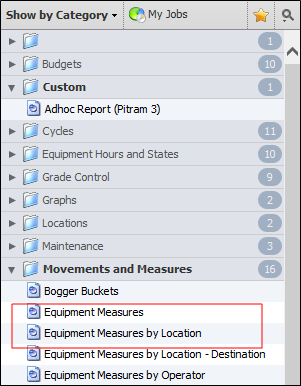
- On the navigation pane on the left, go to the Movements and Measures category.
-
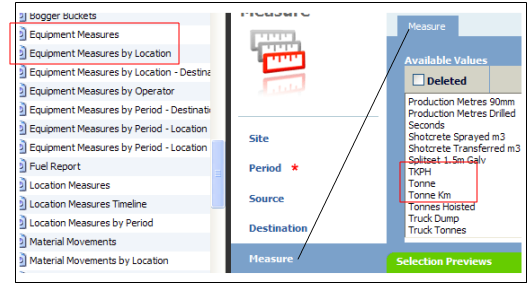
Select either the Equipment Measures or the Equipment Measures by Location report type. These report types have been designed to report the efficiency and progress of equipment at drive locations.
- Define the appropriate Site, Period and Source.
-
For the measure, select either Tonne Km (tonnes * kilometre distance) or TKPH (Tonne Km per hour).
- Click Run Job to generate the report which will be displayed, by default, in Report View.