

Configure Reference Data settings in Pitram
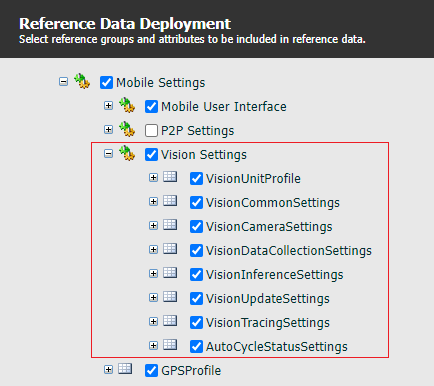
- Ensure the VisionUnitProfile is deployed in MobileUnitConfiguration:
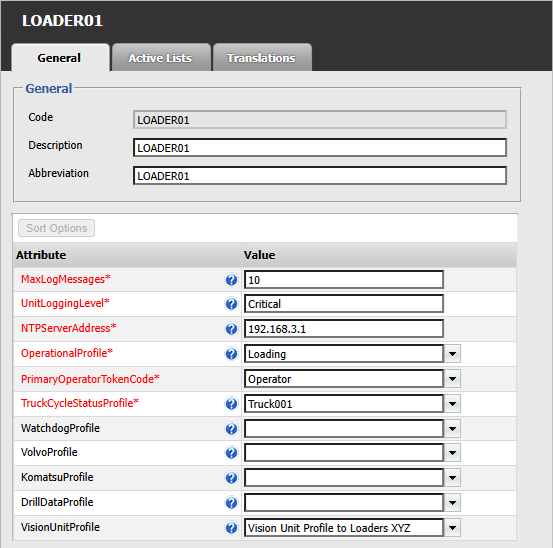
- Create a new profile and all required sub-groups. An example is shown below:
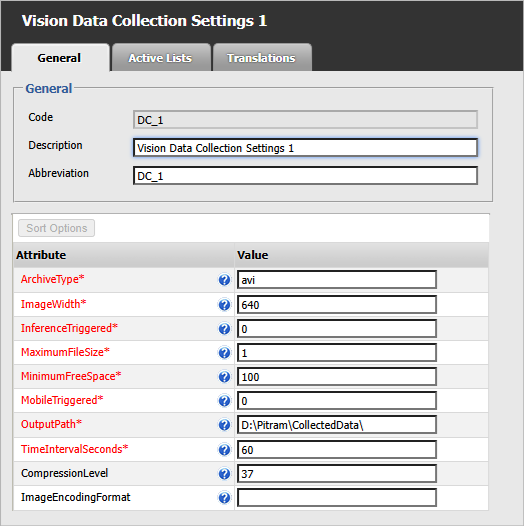
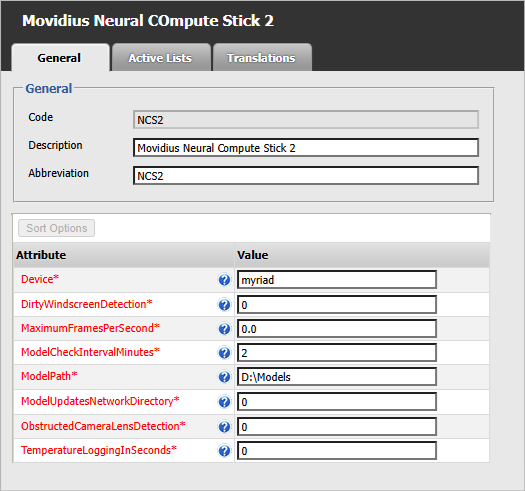
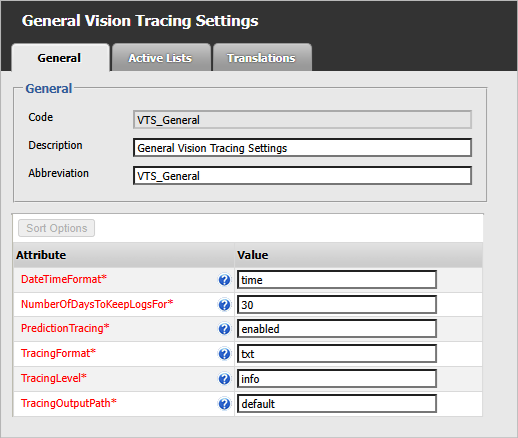
- Setup the following Pitram Vision configuration groups in reference data:
- On the Dome server, create a folder named Models in the root. For example: inetpub\wwwroot\[Models]
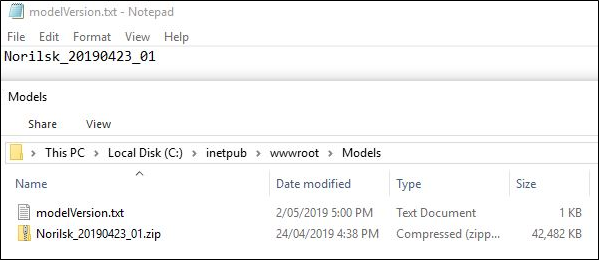
- Add a text file named modelVersion.txt in this folder.
- Paste in your PitramVision_Models zip file.
- Update the contents of the ‘modelVersion.txt’ text file you created in Step 4 (above) to include the name of the zip file (without the file extension):
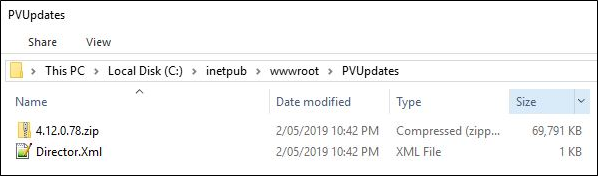
- On the Dome server, create a folder PVUpdates in root. For example: inetpub\wwwroot\[PVUpdates]
- Paste in your 2 VisionAppLife files (.ZIP and .XML). See screenshot below.
- In the reference data for the PitramVision profile:
- Set the U_NetworkUpdatesDirectory to the server IP and PVUpdates folder location created above. For example: http://192.168.2.45/PVUpdates/
- Set the I_ModelUpdatesNetworkDirectory to the server IP and Models folder location created above. For example: http://192.168.2.45/Models/
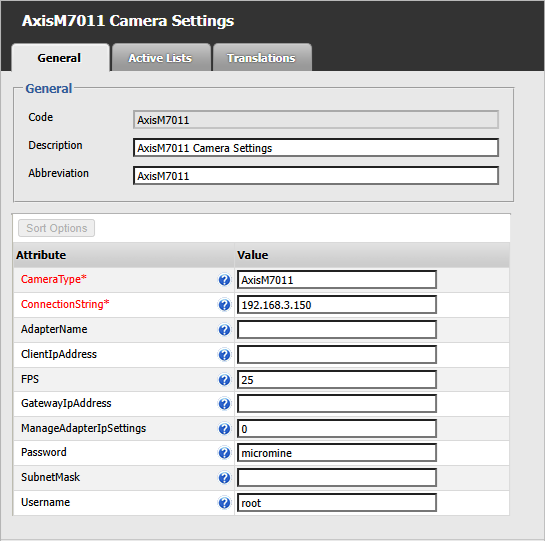
- Set the URL for the CameraConnectionString. These are the credentials and IP used in the Axis IP Utility software.
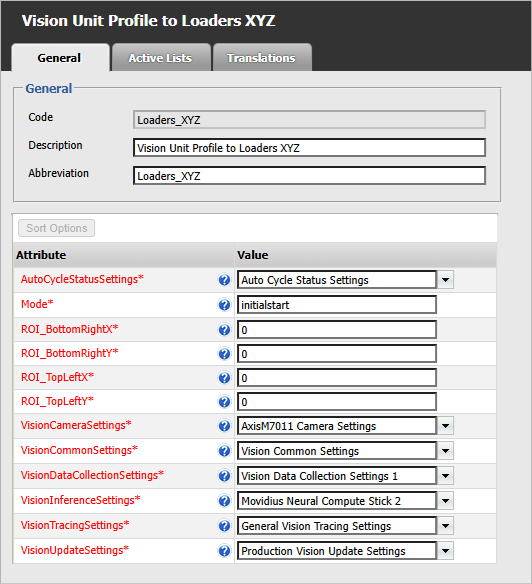
VisionUnitProfile
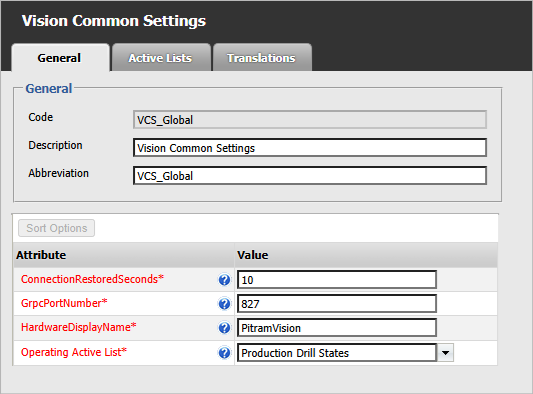
VisionCommonSettings
VisionCameraSettings
VisionDataCollectionSettings
VisionInferenceSettings
VisionTracingSettings
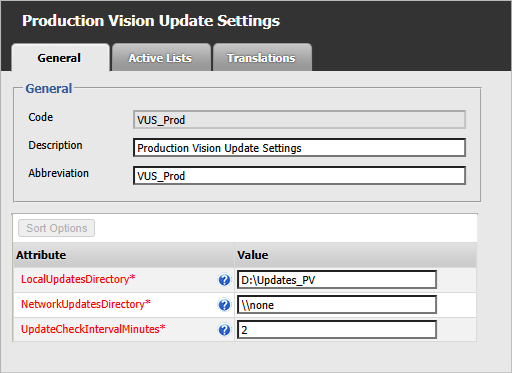
VisionUpdateSettings
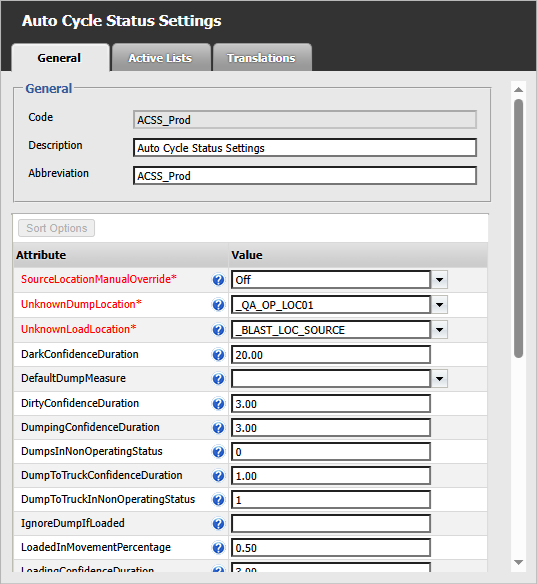
AutoCycleStatusSettings
This file (for internal use) may be located at: J:\Pitram Installation\PitramVision_Models\FP16
These files (for internal use) may be located at:
\\mm00832\Releases\Pitram\Pitram 4.12 Trunk\XXX\VisionAppLife
For example: http://root:micromine@192.168.3.150/mjpg/video.mjpg