

Transformation
The Transformation tab is used to select the Transform file (.mmtransform) for forward and/or back transform of the input/output data.
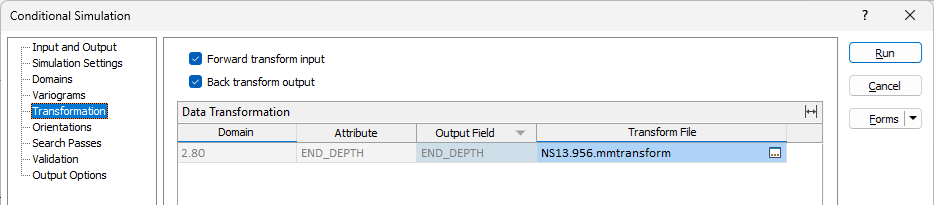
Forward transform input
Select the Forward option to apply the transform file/s specified per Domain and Attribute to the input data to produce standard normally distributed data. If the option is not checked, the data will be assumed to be already standard normal. Transformation will only be applied for an attribute/domain if the Transform File field is correctly populated.
Back transform output
If you select the Backward option, all realisation outputs in the output file (not the nodes file) will be back transformed to restore the original data distribution space. Transformation will only be applied for an attribute/domain if the Transform File field is correctly populated.
Data Transformation
The Data Transformation grid displays the populated Domain and Attribute information for the simulation data, as well as the Output Field for each Domain/Attribute. You can optionally specify a Transform File to be applied to each Domain/Attribute.
Transform file
For each Domain/Attribute in the grid, you can optionally specify a Transform file (.mmtransform)to be applied for Forward/Backward Transform to the input/output.
Note: If the Variogram Control Files specified on the Variograms tab contain a Transform file path, the corresponding Transform File field will be pre-populated from the Variogram Control Files input.