Simulation Settings
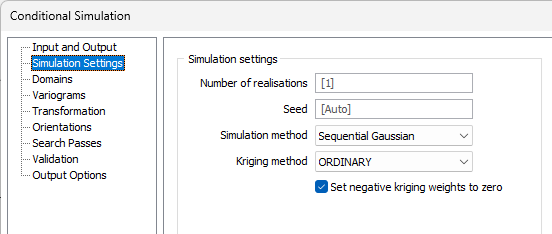
The Simulation Settings tab of the Conditional Simulation form is used to configure the number of realisations as well as the simulation and kriging methods. Additionally, attributes and corresponding Output fields can be selected.
Number of realisations
Enter the number of realisations to be simulated. A realisation represents a probable outcome from the available data. The default value is 1; meaning a single realisation will be simulated across all data and added to the output.
Seed
Enter the Seed value in the field provided. The Seed is the point at which the simulation will begin generating random data in order to map points through each node of the simulation.
Simulation Method
Select the Simulation Method for the conditional simulation from the drop down list.
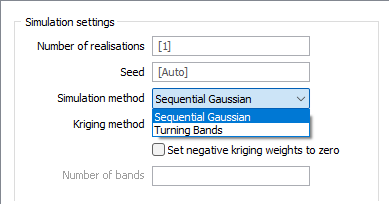
The Sequential Gaussian method can be used to simulate grades in an ore body. Data used for simulation should be transformed into equivalent Gaussian values. Gaussian distribution is assumed, with a fixed mean of 0 and a variance of 1. This allows the grade distribution at an unsampled location to be determined based on the values in proximity.
The Turning Bands method generates random realisations of spatial data by dividing the simulation process into 'bands' or sections. The large number of realisations generated minimises the impact of each individual band on the final model, reducing the issue of unwanted artefacts.
Unlike the Sequential Gaussian method, the Turning Bands method first generates a non-conditional simulation and performs conditioning using a combination of the simple kriging estimate of the data and the simple kriging estimate of the difference between the data and the non-conditional simulation - guaranteeing a conditional simulation is obtained.
Kriging Method
Select the Kriging Method to be used from the drop down provided.
When the Kriging method is set to SIMPLE, the global mean is assumed to be constant throughout the study area. If the Mean response is blank, the global mean is automatically calculated from the input data.
When the Kriging method set to ORDINARY, the local mean is recalculated each time the search neighbourhood is positioned on a new block centroid, but is kept constant within that neighbourhood.
Other Kriging methods are also available on the Geostatistics tab, in the Estimation group.
Set negative kriging weights to zero
When KRIGING is the chosen gridding method, select this check box to adjust the negative weights so that they have no effect. If this option is not selected, some sample location configurations can generate small negative cell values, even though all of the samples have values greater than, or equal to, zero.
Number of bands
When Turning Bands is selected as the Kriging method, the Number of bands field is enabled and you can enter the number of bands for the simulation process to be divided into in order to produce random realisations of spatial data. The default value for the field is 1000.
Attributes
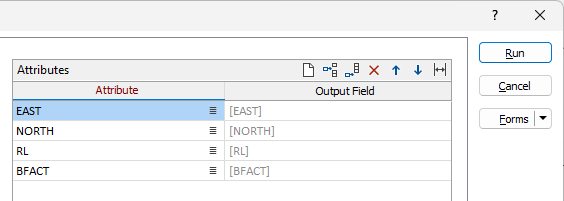
The Attributes grid on the Simulation Settings tab lists the attributes included for the simulation. You can accept the default Output Field name or enter a custom name. Similarly, you can select an Attribute using the list button in the field.
Use the buttons on the local toolbar to Manage the rows in the list.