Aggregate Block Model

The Aggregate Block Model tool simulates values at a tight grid spacing from a specified Points file and averages up to the relevant block size to observe volume-variance relations to a selected output file or back to the input - for example, taking simulated nodes and reblocking to SMU size or from SMU size to resource block model.
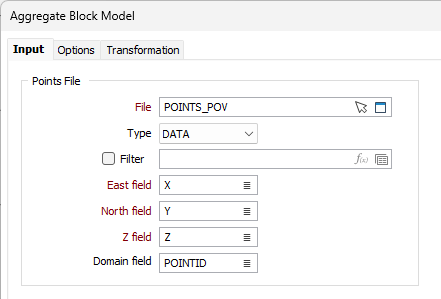
Points File
File
Select the file type and double-click to select the file containing the points you want to use. You can also click the Pick from Vizex button to collapse the form and interactively select a layer containing the file to be inserted and return to the form.
Optionally, select or create a filter to limit the data that is processed.
East, North and Z
Specify the names of the fields in which Easting, Northing, and Z coordinates are stored in the Points file.
Domain field
Optionally select the field in the file containing Domain (categorical/code) information. If this field is not provided, all rows of data will be considered as a single domain. If a domain field is selected, the populated rows will be listed.
Blocks File
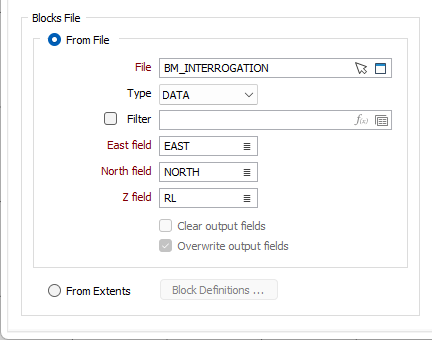
The options in the Blocks File group allow you to specify a block file for the aggregation process. For each block in the output blocks file, all blocks in the input/discretised file that fall within it will be found. The averaged values for these blocks will be stored according to the output field.
From File
Select the From File option to define blocks from a file and select the File in the field provided.
You can also click the Pick from Vizex button to collapse the form and interactively select a layer containing the file to be inserted and return to the form.
Optionally, select or create a filter to limit the data that is processed.
East, North and Z
Specify the names of the fields in which Easting, Northing, and Z coordinates are stored in the blocks file.
Clear output fields
The Clear output fields option is unchecked by default, and the control is disabled. This is because any fields which clash with the realisations and summary statistics when aggregating an existing block model will not be cleared.
Overwrite output fields
The Overwrite output fields option is checked by default, and the control is disabled. This is because any fields which clash with the realisations and summary statistics when aggregating an existing block model will be overwritten.
From Extents
Select this option to define the block model for the process using extents. Click the Block Definitions button to open the Block Model Extents form and define the extents for the simulation blocks.
Blocks Output
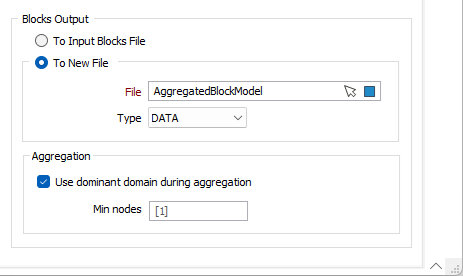
The options in the Blocks Output group allow you to output the aggregated blocks back to the input file or a new specified file. You can also select to use the dominant domain and specify a minimum number of nodes.
To Input Block File
Select the To Input Block File option to write the aggregated blocks back to the input file.
To New File
Select the To New File option to specify a File where the aggregated blocks will be written. You can also click the Pick from Vizex button to collapse the form and interactively select a layer containing the file to be inserted and return to the form.
Aggregation
Select the Use dominant domain during aggregation option, when aggregating from smaller blocks to larger blocks, to use only blocks in the dominant domain to produce the aggregated values.
If this option is not selected, and the larger block is composed of small blocks from different domains, then only the small blocks will be aggregated - regardless of the domain. This can result in a blurred boundary.
Min nodes
Enter the minimum number of nodes to be processed for the aggregation. The default value is 1.