

Tasks
Task Types are configured globally and selected at the workspace level. Tasks created when a workspace is active are created using the task types and attribute sets selected for that workspace and are only accessible to users who are members of that workspace.
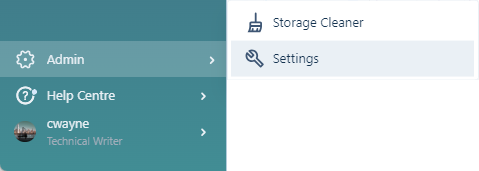
To manage task types, you must be an administrator:
-
-
Click to select the Tasks tab:
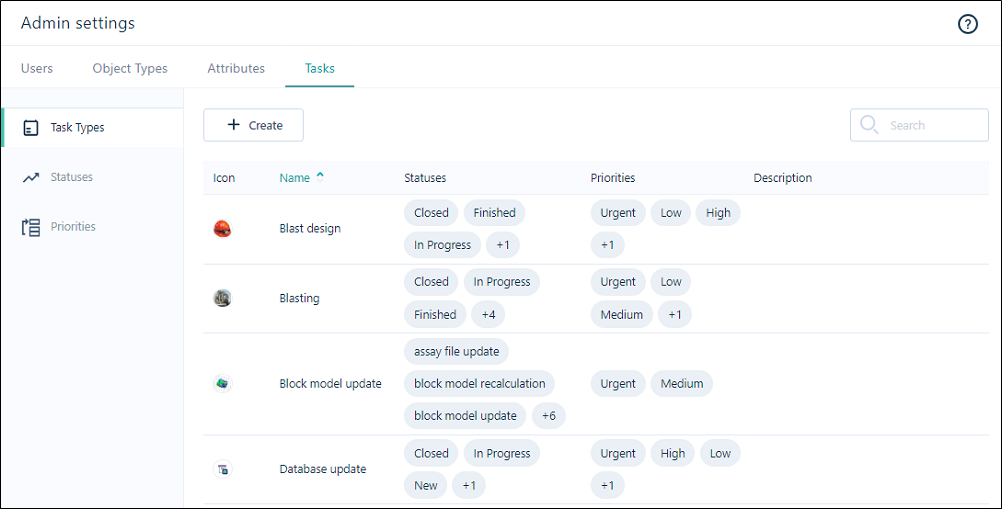
The following properties are shown for each type listed on the Tasks page:
| Property | Description |
|---|---|
|
Icon |
Iconography allows each task type to be quickly identified. |
|
Name |
The Name of the task type should reflect the nature of the tasks that will be associated with this type. |
|
Statuses |
The Statuses that can be assigned to tasks of this type. In addition to default statuses, custom statuses can be configured, for example Blasting, Digging, Hauling, etc. |
| Priorities | The Priorities that can be assigned to tasks of this type. In addition to default priorities, custom priorities can be configured, for example Critical. |
| Description | The Description of the task type should further clarify the nature of the tasks. Click on the ellipsis to edit more properties of the task. |
Create
To create a task type:
-
Click Create above the list of Task Types:

-
Set the properties of the task type in the Create Task Types dialog.
Edit
To edit the properties of a task type:
-
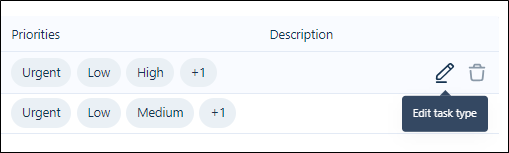
Click on the Edit Task Type icon that appears at the far right when you hover on the task type row:
-
Set the properties of the task in the Edit Task Type dialog.
Delete
To delete a task type:
-
Click on the Delete task typeicon that appears at the far right when you hover on the task type row :
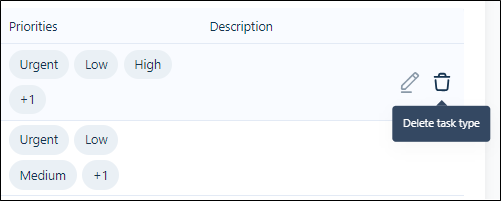
You will be prompted to confirm the deletion.