

Export Process Workflows
Export
To export a Process Workflow, right-click on the name of a Process Workflow in the Project Explorer and select Export Process Workflow.

To export Multiple Process Workflows, right-click on the Process Workflows node (or a folder) in the Project Explorer and select Export Process Workflows.

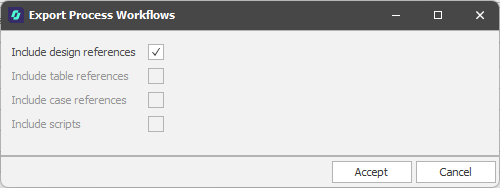
Include
The Include options you can select in the Export Process Workflows dialog will depend on the Context Mode of the workflows you are exporting.
Include Scripts
When one or more workflow steps are scripted, select this option to include the setup scripts associated with those steps.
Accept
Click Accept to proceed with the Export.
You will be prompted to navigate to the folder location of the Process Workflow File (*..pwf) you want to Save. The default folder is your project/model folder.
If problems are encountered, details are shown in an Export Summary window:
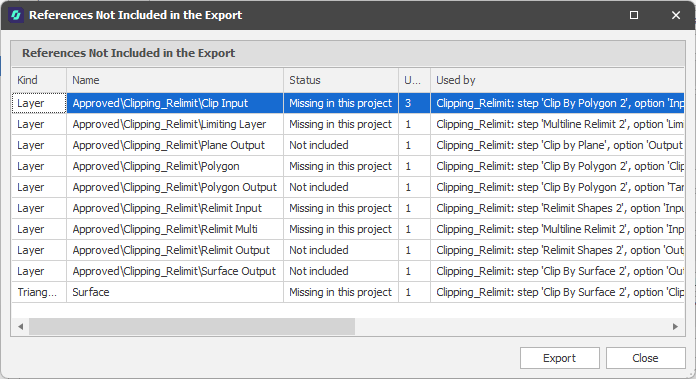
Export
Click Export to export the Import Summary information to an Excel (.xlsx) file.
Close
Click Close to close the Import Summary.