

Insert Points by Interpolation

 Input Data
Select the Source of the data that will be used as input to the function:
| Selection | Design elements you have interactively selected in the Design Window. |
| Visible | Design elements that are visible in the loaded layer. Elements that have been specifically hidden are excluded. This a quick way of selecting all visible elements in a layer without having to explicitly select them. |
| Layer | One or more layers that you select. Names of layers currently loaded in the Design Window are shown in bold. |
For large datasets, you may prefer to select a layer rather than load that layer and select all of the elements in the layer. Selecting a non-applicable layer will have no effect. In most cases, an error icon  will indicate the chosen input layer is not valid. Hover over the icon to view a validation hint.
Settings
Spacing Mode
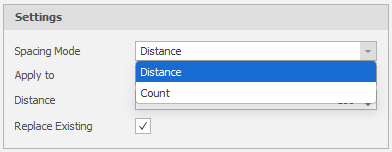
Use the drop-down to select segment Distance or segment Count as the Spacing Mode.
Apply To
Choose whether the interpolation of points will be applied to a selected Shape (or shapes) or be applied to the Segment of a single shape.
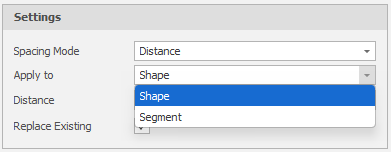
You will be prompted to select the shapes or the segment on a selected shape accordingly.
Distance/Count
Specify an interval Distance or else specify a segment Count. The value will correspond to the Spacing Mode you have selected (above).
Replace Existing
Select this check box to replace the existing shape or shape segment. If you clear this check box you will be prompted to select an Output Layer. In the Layer Selection pane, you can right-click on the Layers node (or a folder) to Add a new layer.
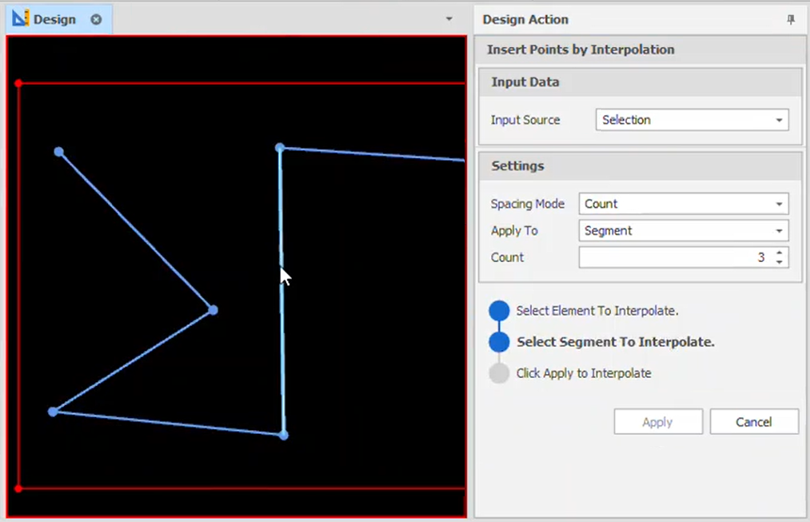
In the following example, the Spacing Mode is segment Count and Apply To is set to Segment.
Select the design element to interpolate:
Click Apply to interpolate:
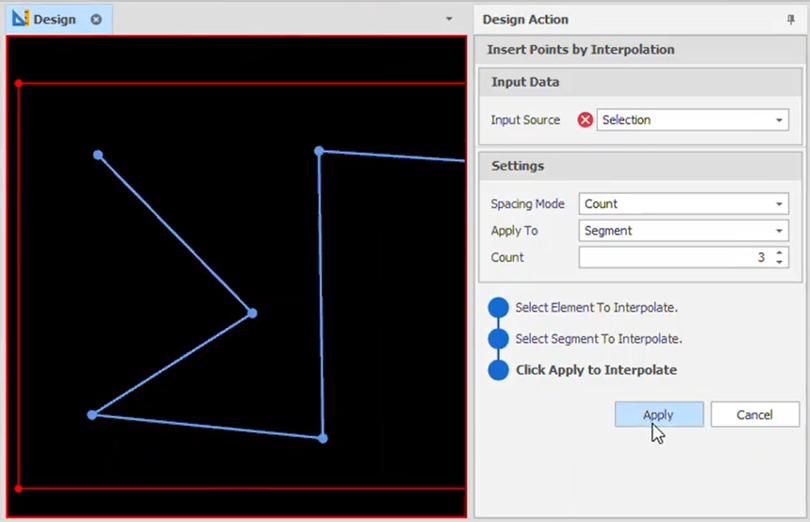
Points are inserted based on the segment Count value entered. If necessary: On the Design tab, in the Action group, click Undo (CTRL + Z) and Redo (CTRL + Y) to undo and redo (revert the undo of) the last action.
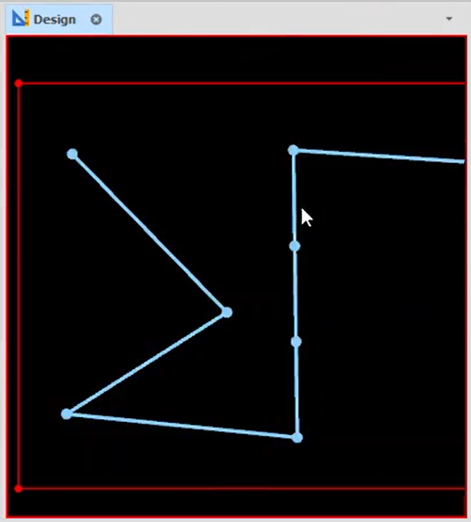
Note: To continue interpolation, you will need to reselect the element to interpolate.