Substitution Parameters
You can replace object or object attribute values in a query using substitution parameters. Rather than enter an operator's name directly into a query, for example, you can substitute (prompt the user to enter or select) a value when the report run.
Another use of substitution parameters is to summarise the data in a report. You can summarise by any attribute, as long as the relevant tables and views are included in the query.
Refer to the SQL Examples
Selection Criteria
To enable selection criteria substitutions:
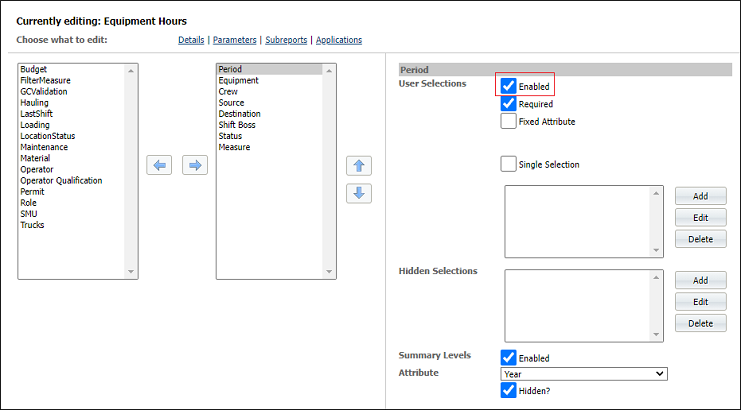
- When you add a new report or edit an existing report, select the Enabled check box for each attribute that is to be substituted in the query:
Summary Levels
To enable summary level substitutions:
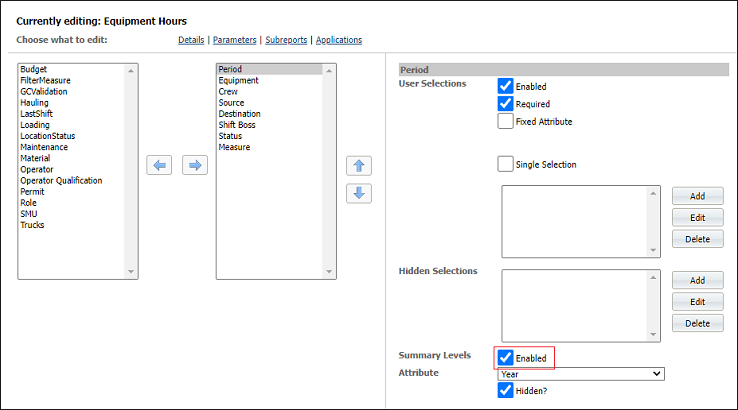
- When you add a new report or edit an existing one in System | Manage Reports, select the Enabled check box alongside the Summary levels prompt: