

Allocate tasks to equipment or locations
There are two stages in the task allocation process:
- An equipment unit (or location) is allocated to a task.
- The task is allocated to the equipment unit (or location).
(As an attribute of that task)
When a task is allocated to an equipment unit (or allocated to a location where an equipment unit is working), the details of that task are communicated to the operator via the mobile screen.
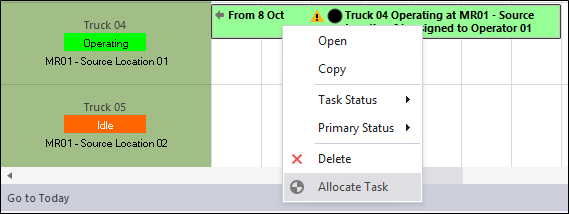
To manually allocate a task to equipment or a location:
- Right-click on the task and select Allocate Task.
Since a task is associated with a unit of equipment and/or a location, a task may be allocated automatically depending on the status of that equipment and/or location.
Furthermore, the events recorded for that equipment (or that location) may be used to automatically trigger a task status change.
When the status of a task is explicitly changed (i.e. the task is set as Suspended, Resumed or Completed in Data Acquisition or via a Mobile screen) the status change is recorded as a Task Status Change Event .
To print a list of the tasks allocated to equipment, there are a number of options. See: Print Task List