

Mobile Task Display
When a task is allocated to equipment (or to locations where equipment is working), the tasks is communicated to the operator via the mobile screen.
Since a task is associated with a unit of equipment and/or a location, a task may be allocated automatically depending on the status of that equipment and/or location.
Furthermore, the events recorded for that equipment (or that location) may be used to automatically trigger a task status change.
When the status of a task is explicitly changed (i.e. the task is set as Suspended, Resumed or Completed in Data Acquisition or via a Mobile screen) the status change is recorded as a Task Status Change Event .
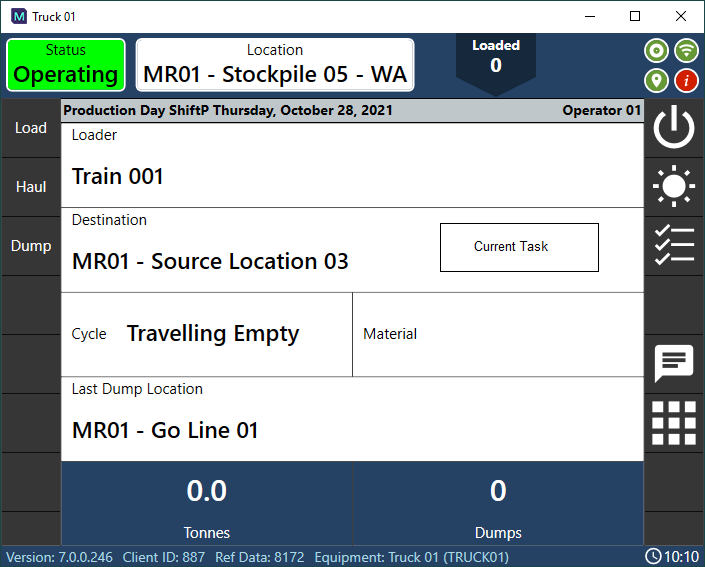
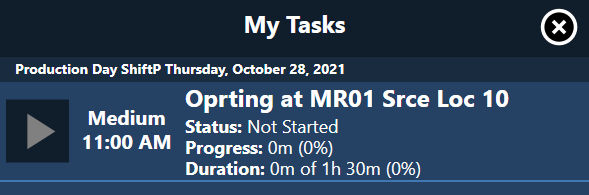
When the operator selects CURRENT TASK, any tasks allocated to that equipment (or location) are displayed on screen.
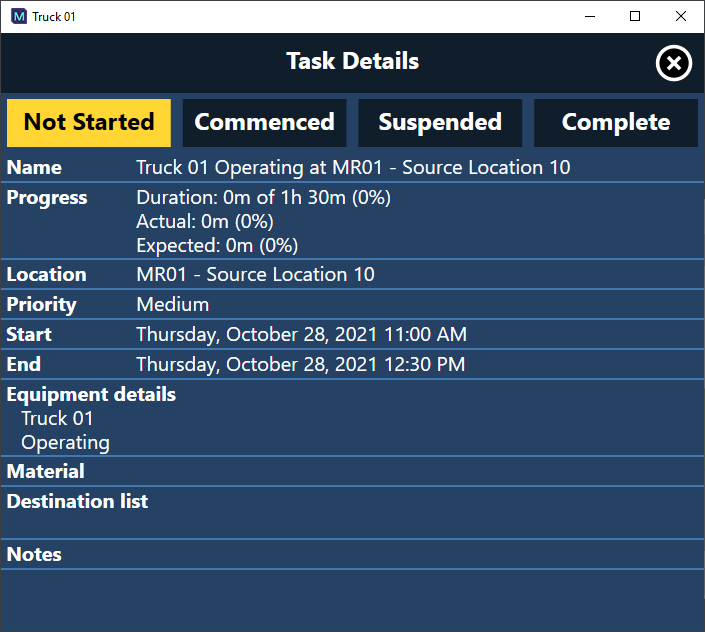
When the operator selects CURRENT TASK the details of the task are displayed on screen. The operator can view the details of a task, change the status of the task, and add a note for the task.
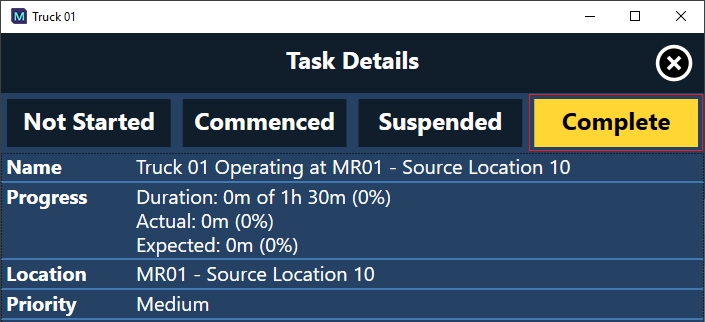
The equipment operator is able to display a list of allocated tasks and mark tasks as complete.
Depending on the mobile configuration, equipment operators may also be able to allocate themselves to a task by setting their state and location.