Task Information
When a task is opened from the Gantt chart for viewing or editing, the properties of the file are shown in an Info pane:
-
The Users associated with the task.
-
The Attributes associated with the task type.
To view the information for the task:
-
Select the task for which you want to view information.
-
An Info pane is displayed on the right-hand side of the screen:
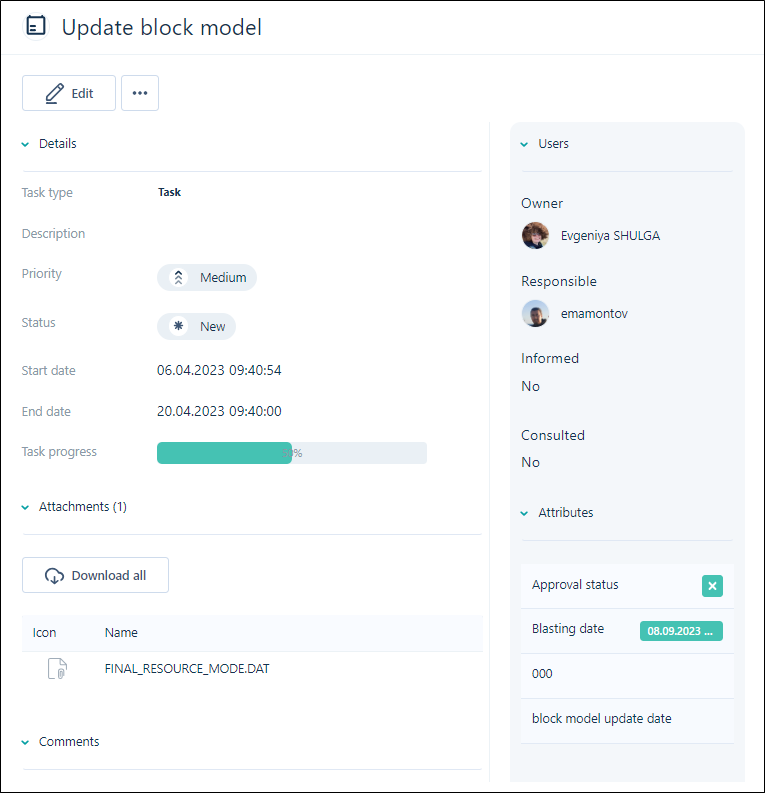
The tabs in the Info panel allow you to view and edit the Users and Attributes for the task.
The Users section of the panel displays the Owner, Responsible, Informed and Consulted users for the task. In Edit mode, you can make changes to the Users/Groups selected in these fields.
The Attributes section of the panel displays any attributes associated with the task type for the task and the values set. In Edit mode, you can make changes to the values for each associated attribute. The attributes for the task type can only be changed by Administrators from the Attributes page.
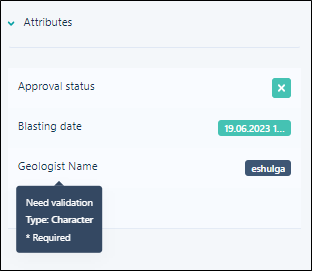
If you hover on an Attribute value, a pop up opens, displaying information on the attribute type and whether validation is required.