

My Apps
The My Apps icon at the top right of the Nexus window opens a menu of Nexus services. This menu is also available from the menu bar in Nexus Cloud Licensing.
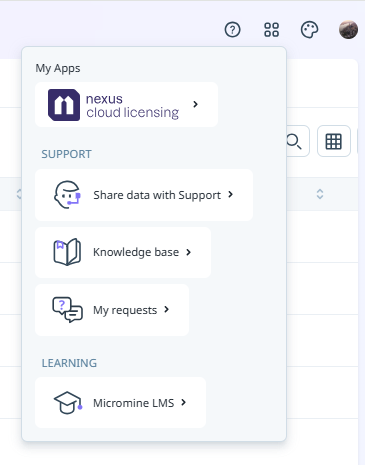
The available services on the menu are as follows:
-
Nexus Cloud Licensing - Opens Nexus Cloud Licensing with the details of available cloud licences for users with permission.
-
Share data with Support - Select Share data with Support to upload requested information and files to Micromine Australia Pty Ltd Support.
-
Knowledge Base - Select Knowledge base to visit the Micromine Technical Support Knowledge Base.
Note: A subscription is required for access to the knowledge base.
-
My Requests - Select My Requests to connect with your Support requests in the Zendesk portal for Micromine Australia Pty Ltd.
-
Micromine LMS - Select Micromine LMS to link to the Micromine Australia Pty Ltd Learning Management System (LMS).
Note: Licenced users with a Micromine ID have access to the LMS. If you require an invitation to use the LMS, contact your Nexus Administrator for more details.