Set Date Limit Properties
In the Animation Window, Shape, Block Model, Grid, Triangulation and Text elements can all be shown or hidden at certain dates in the schedule.
-
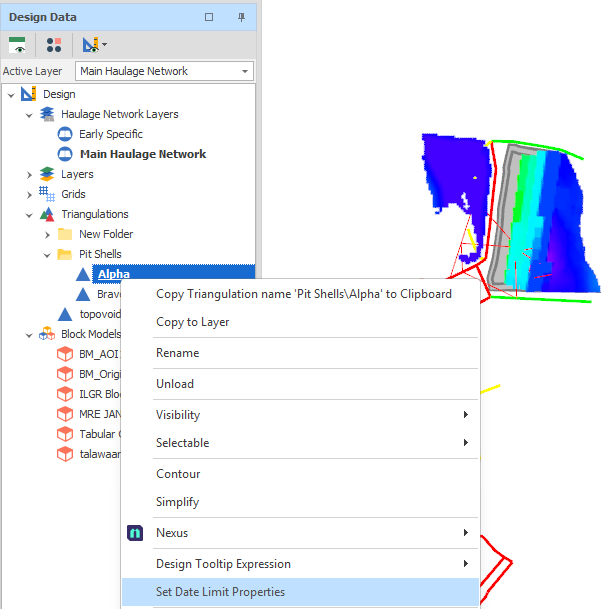
Right-click on the Shape, Grid, Triangulation or Block Model layer and select Set Date Limit Properties.
-
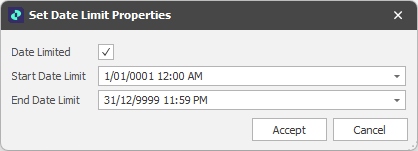
Select the Date Limited check box to enable the (StartDateLimit, EndDateLimit) element visibility properties you have set.
-
Click Accept.
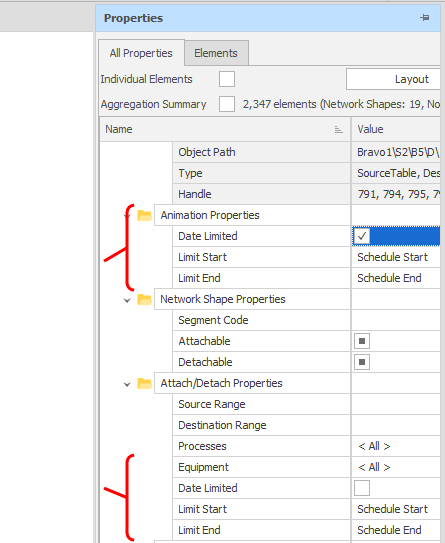
The same properties can be enabled and adjusted in the Design Properties pane: